
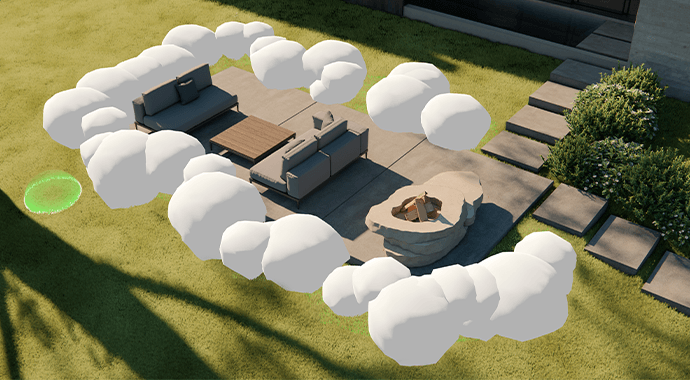
Faster scene setup
Populate scenes naturally with the new Asset Brush Placement tool. Paint vegetation and props directly into your model with realistic variation — no repetitive placement.

Design, visualize, and iterate instantly inside your CAD and BIM tools. Simple to start. Easy to use.


Start visualizing instantly inside your CAD with no setup or technical learning curve.

Open a fully rendered view from your model in seconds, no configuration needed.

Thousands of ready-to-use assets and materials are available directly in Enscape.

Simple controls designed for architects, not specialists or technicians.
Start visualizing instantly inside your CAD with no setup or technical learning curve.
Open a fully rendered view from your model in seconds, no configuration needed.
Thousands of ready-to-use assets and materials are available directly in Enscape.
Simple controls designed for architects, not specialists or technicians.

Design and visualization update together with instant feedback and no manual exports.

Changes in CAD appear instantly in Enscape, and Enscape settings flow back to CAD.

Lighting, materials, and geometry update immediately as you design.

Work directly from your model with zero file transfers or manual steps.

Create walkthroughs, images, and VR experiences that help clients understand your design.

Let clients explore spaces interactively with smooth, live navigation.

Immerse stakeholders in the project before construction begins.

Move projects into advanced animation and higher-quality storytelling.

Use AI to explore ideas, enhance visuals, and create materials without leaving your workflow.

Use Veras to test moods or styles while keeping geometry and intent intact.

Generate realistic, tileable materials directly from simple text prompts.

Improve people, vegetation, and details in seconds with smart enhancement.

Share visuals, gather feedback, and align teams and clients through integrated cloud tools.

Send images and interactive scenes instantly through Chaos Cloud.

Collect comments and approvals in one clear, organized workspace.

Keep everyone aligned to reduce misunderstandings and rework.
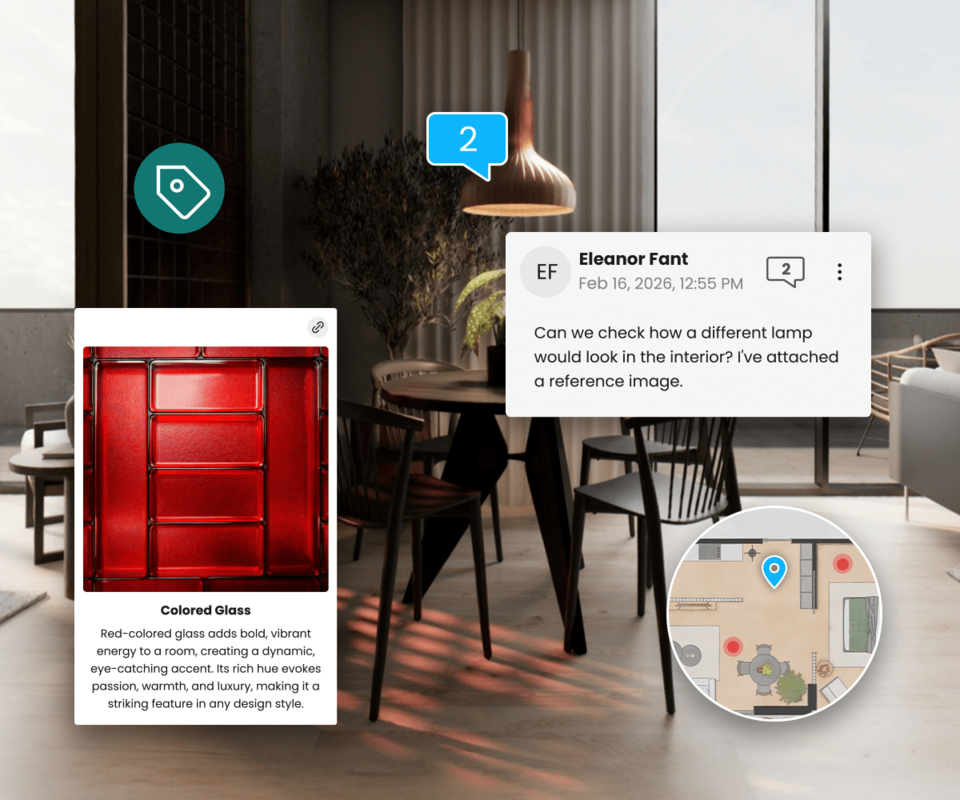

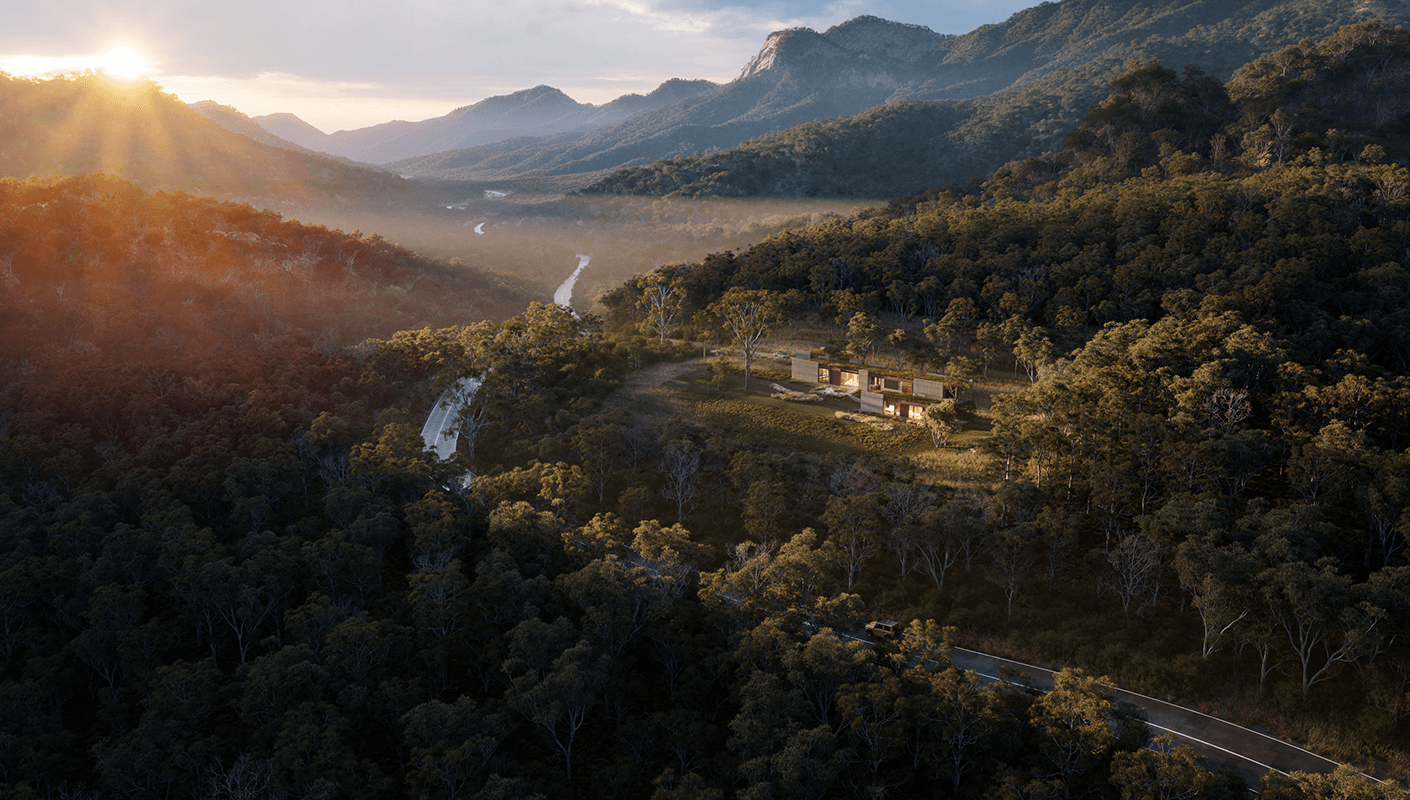
The latest Enscape workflow release focuses on removing friction from daily design work. New features for scene setup, lighting, materials, and a connected workflow to help you move from idea to decision faster — without changing how you work.
Populate scenes naturally with the new Asset Brush Placement tool. Paint vegetation and props directly into your model with realistic variation — no repetitive placement.
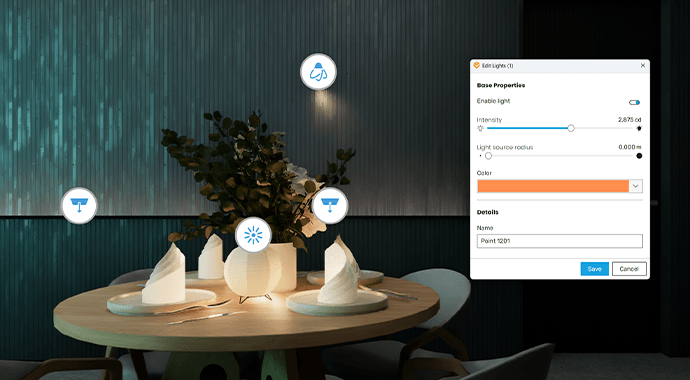
The new Light Management controls centralize all lighting inside Enscape. Adjust, compare, and refine lighting setups without switching back to CAD. You can now also hide light sources in reflections for cleaner visuals.
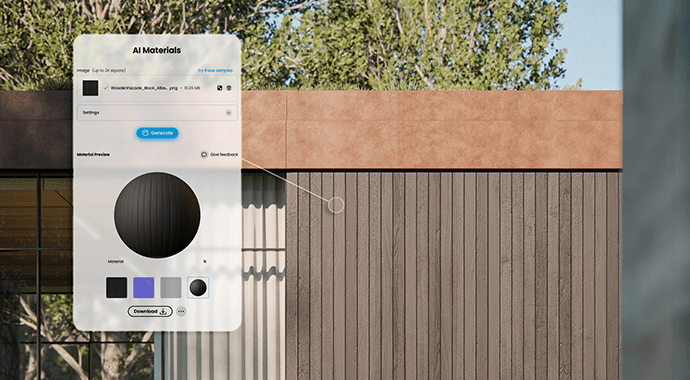
Generate realistic, tileable materials directly in the Enscape Material Editor. Describe what you need and apply it instantly — no external tools required.
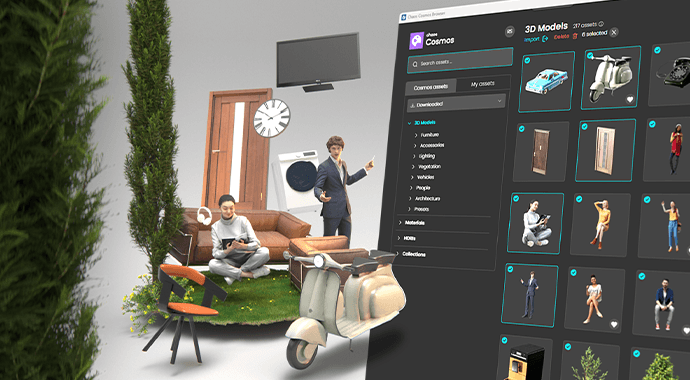
Expanded Chaos Cosmos assets provide more high-quality content that works instantly in real-time.

Enscape is built for fast, intuitive real-time design inside your CAD/BIM tools. Move from idea to visual clarity without added complexity.
As projects evolve, expand your workflow with AI-assisted exploration, advanced animation, sustainability insights, and structured collaboration.
Start simple. Add capability when needed. Keep your work moving.
Enscape is built for fast, intuitive real-time design inside your CAD/BIM tools. Move from idea to visual clarity without added complexity.
As projects evolve, expand your workflow with AI-assisted exploration, advanced animation, sustainability insights, and structured collaboration.
Start simple. Add capability when needed. Keep your work moving.
Start rendering for free in seconds.
Enscape for Windows is available for:


Enscape for Mac is available for:
Enscape is indispensable in my daily workflow. It makes real-time visualization effortless, helping me engage clients and communicate ideas clearly.
.jpg?1747248430)
Project & Interior Designer, VLK Architects

Enscape is a game changer as clients are immediately able to understand and experience our vision, eliminating the subjective interpretation of sketches and the resulting misunderstandings and redesign.

Project Architect, Lake|Flato

It evolutionized our process. We find that we can get to decision points earlier. We find that we can extend the length of time that we’re spending on design.

Senior Principal, Overland Partners

Letting the clients walk around the building has the potential to save them a lot of money further down the line as they know what they are getting beforehand.

Director, McCreanor and Co. Architects







We help architects and designers all around the globe bring their visions to life.
See what our clients say about us