
Vectorworks Rendering

Vectorworks 3D Rendering with Enscape

Integrate visualization into your design workflow

INTEGRATED WORKFLOW

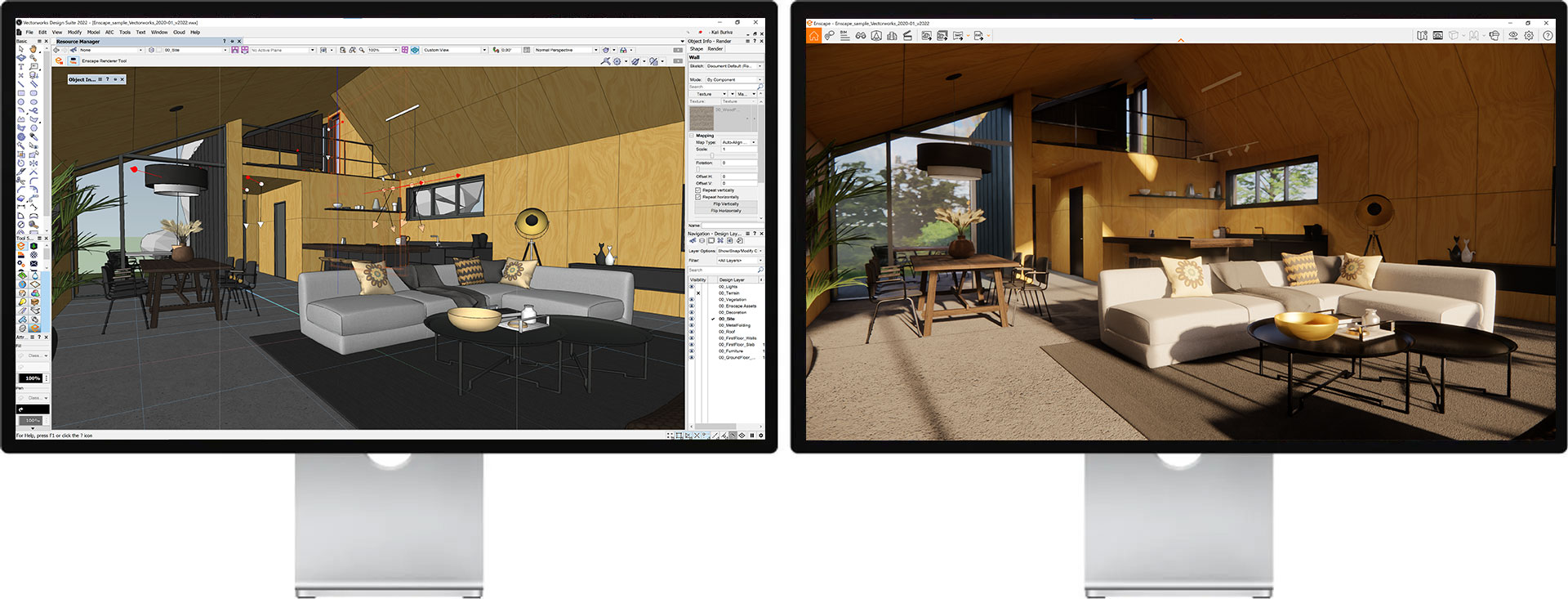
The only real-time rendering tool that lets you design and visualize simultaneously

A SEAMLESS WORKFLOW
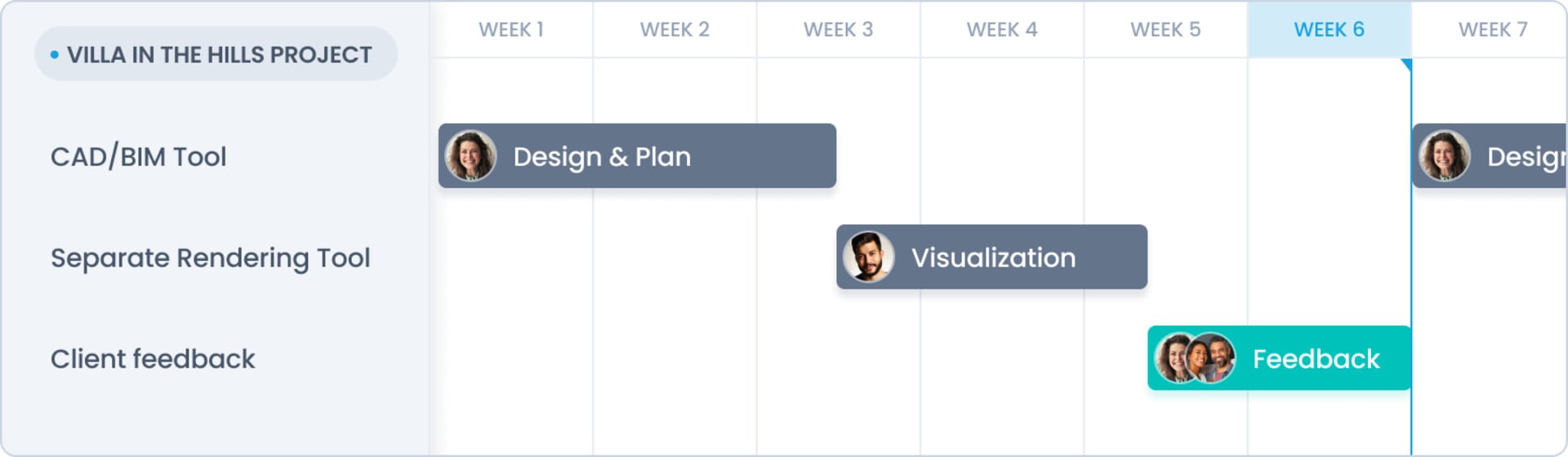
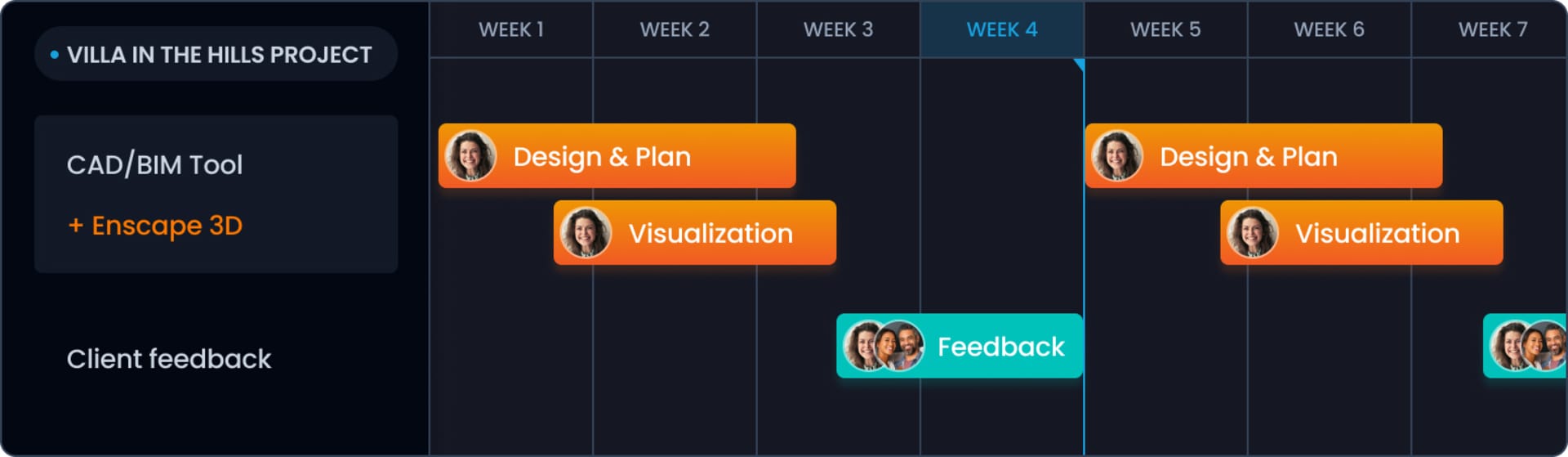
Work from a single source of truth.

Without Enscape

With Enscape

Streamline your design workflow

Create your first rendering within minutes with a seamless set up. Work from a single source of truth by designing and visualizing from one model.

Communicate effectively with ease

Convey your ideas with Enscape-ready 3D assets and materials. Share your designs through various export options such as 360-degree panorama and video.

Identify and resolve issues easily

Explore every corner of your design by walking or flying through scenes in real time. Annotate and track change requests directly within Enscape.
Why use Enscape for Vectorworks?

Vectorworks users can now use Enscape with their favorite modeling software to create beautiful, realistic renderings in a matter of seconds. Vectorworks renderings can be experienced through virtual reality, offering better customer engagement and presentation.

Enscape’s ease of use means there is no special training or prior expertise needed to master the real-time rendering tool. There is ample information available via video tutorials and the Knowledge Base for anyone looking for expert tips and tricks.

Enscape is already used by 85 out of the top 100 architectural firms. Popular for not only its high-quality instant visualizations but also its ability to improve design processes, accelerate decision making, and collaborate effectively with clients.

To see how easy it is to create renders in Vectorworks using Enscape, sign up for a free trial today!
How to create a Vectorworks rendering in Enscape?

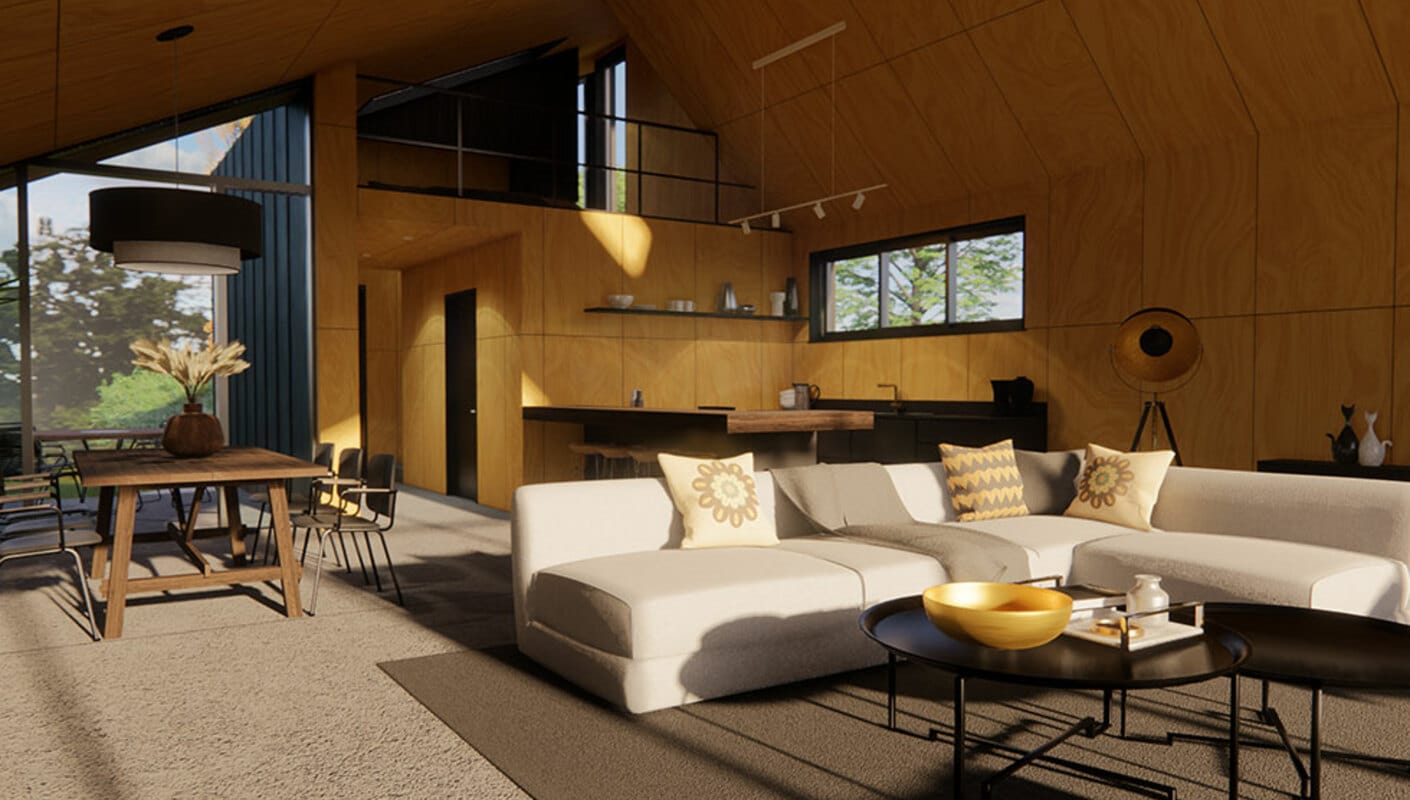
Using Enscape to create a Vectorworks rendering will provide users with a photorealistic snapshot of their 3D model.

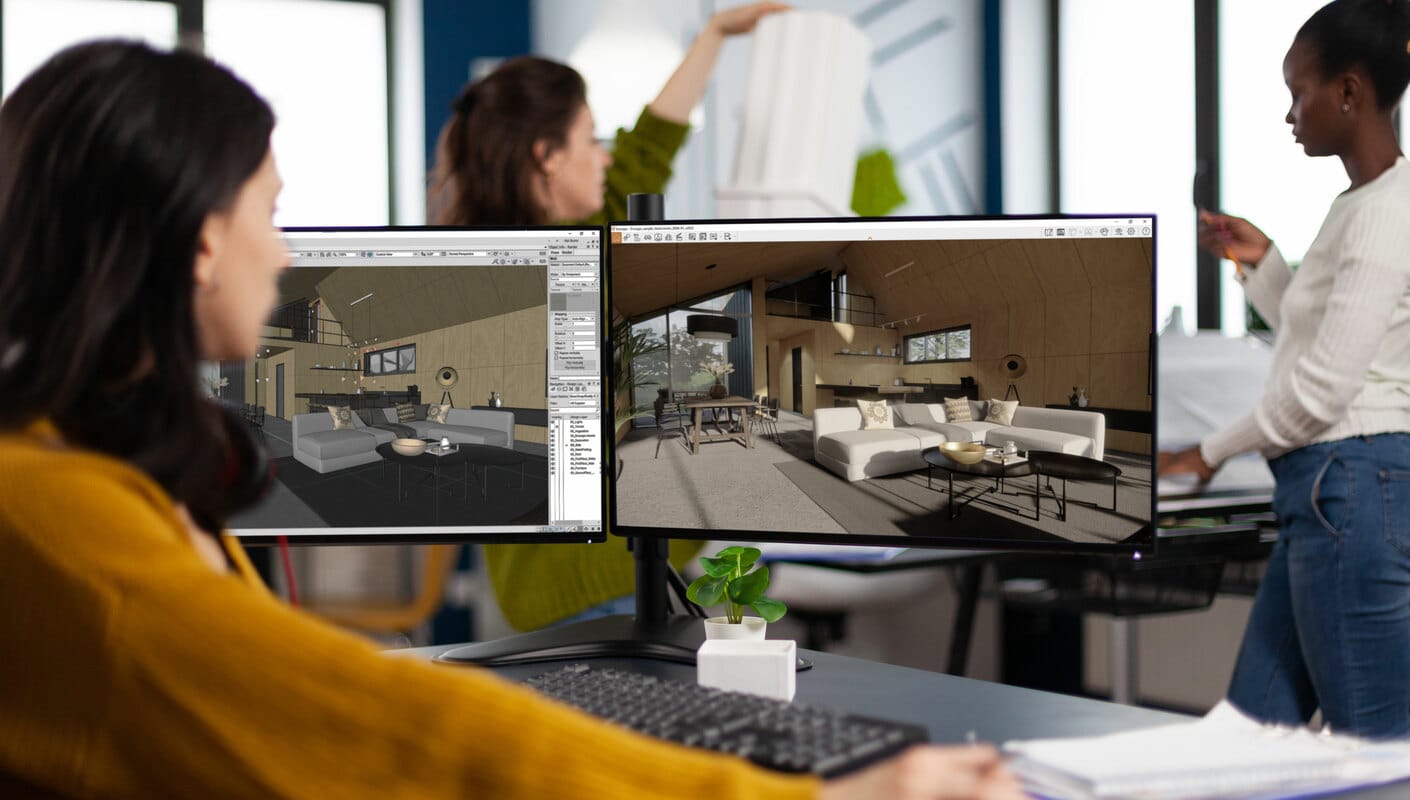
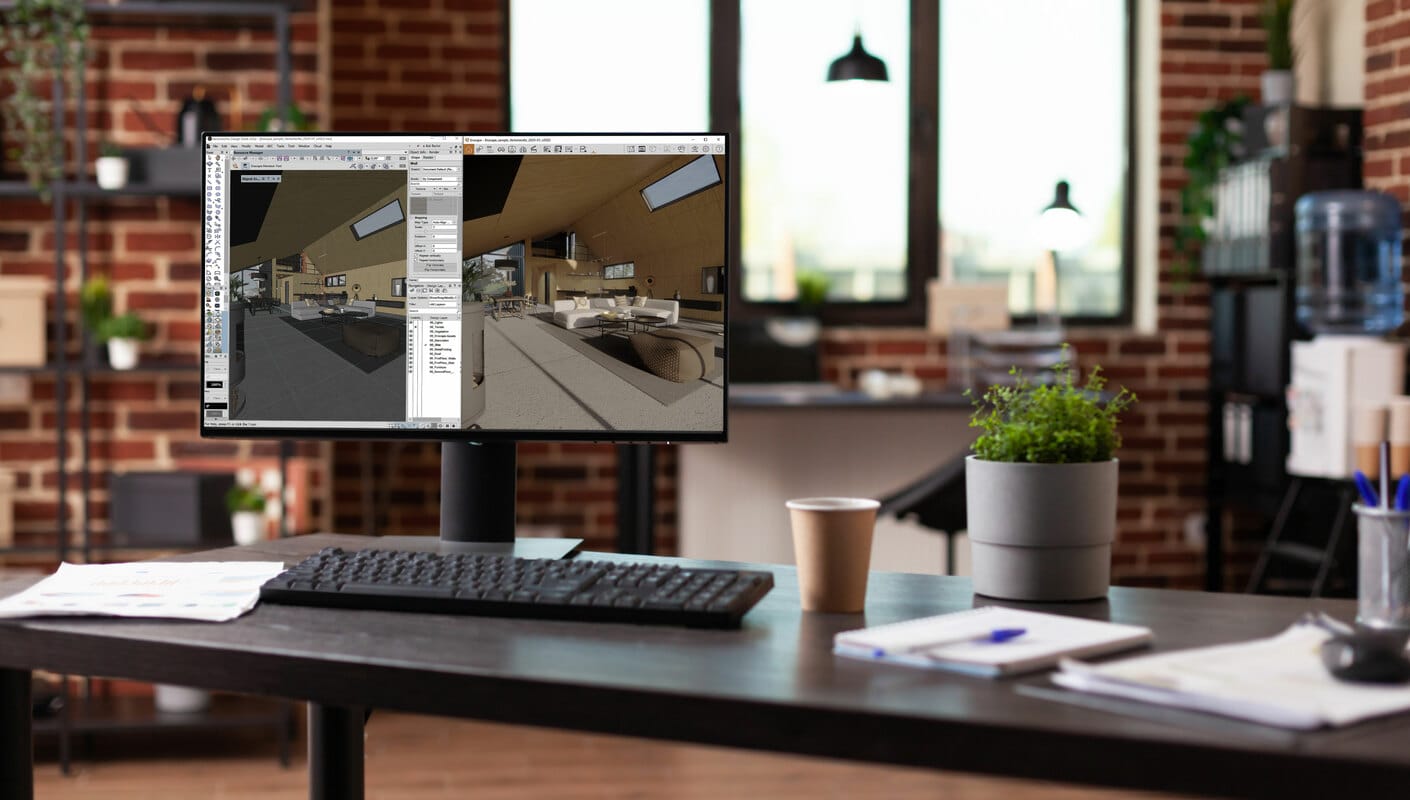
Once installation is complete and the Vectorworks project file is open, users can view their project in Enscape by clicking on the “Start Enscape” button. With the Enscape window open, any changes that are made can be seen instantly.

Thanks to simultaneous editing and visualization, any changes made in Vectorworks will be immediately seen in Enscape. Project changes are available to evaluate so if a client wanted to make a change, it could be implemented, and the results would appear in real time.

Vectorworks users can take advantage of the Enscape Asset Library for their renders.
Why use Enscape for Vectorworks?

To get the most out of your Vectorworks rendering results, here are some best practices to follow:

  • Brighten up your project by adding light sources to your model. Use features such as spot light to draw focus on a building or Sunlight to change the time of day.
  • Keep your models clean and make sure there are no overlapping surfaces to avoid flickering of artifacts when rendering.
  • For enhanced speed and performance, ensure the elements that aren’t in use are turned off.

Visit the Knowledge Base for more tips on how you can get the best Vectorworks rendering experience with Enscape.

Get started for free.

Get a 14-day free trial and dive into the full range of features we offer. You will also get access to comprehensive training resources and dedicated customer support.

Start rendering for free in seconds.

Badge

4.6

★★★★★
★★★★★

Avg. rating on G2.com

500k+

Monthly active users

150+

Countries used in

Plans & pricing

From individual creators to the biggest enterprises, we have a plan for you.
Plans
Commercial
Educational
Monthly
Annual
Save 45% yearly
3 уears
Number of licenses
Enscape SoloReal-time design companion
+1
$4790/month

1 license – billed annually $574.80

Named license
Info Icon
Add to cart
Includes
  • Enscape real-time rendering engine
  • Cloud collaboration
  • Cosmos assets solo library
Compare all features >
Preferred choice
Enscape PremiumAI-powered design flow
+1
$5290/month

1 license – billed annually $634.80

Named license
Info Icon
Add to cart
Includes
  • Enscape real-time rendering engine
  • Veras AI Basic tier
    Info Icon
  • Cloud collaboration
  • Cosmos assets premium library
Compare all features >
Best value
ArchDesign CollectionFrom concept to client-ready
+2
$9490/month

1 license – billed annually $1,138.80

Floating license
Info Icon
Add to cart
Includes
  • Enscape real-time rendering engine
  • Veras AI Pro tier
    Info Icon
  • Cloud collaboration
    Info Icon
  • Cosmos assets collection library
  • Cinematic animation
  • Scene assembly
  • Sustainability insights
Compare all features >
Prices do not include taxes.
Subscription term will automatically renew until you cancel it. All Chaos products are intended for professional use only and not for consumer use.
Always included

with the purchase of any Chaos license.

  • Free learning resources, support & community access
  • 14-day money back guarantee
  • Continuous updates
Collapse
Compare all features

Find the plan that's right for you.

Plans
Commercial
Educational
Number of licenses
Enscape Solo
Named license
Info Icon
$4790/month
What's included

See the available products in each plan

Enscape, Cosmos
Available integrations

Enscape is available for all your favourite CAD platforms

Support & licensing
Support
Info Icon
Support
Continuous updates
Info Icon
Continuous updates
Learning resources
Info Icon
Learning resources
Floating license options available
Info Icon
Core features
Real-time speed
Info Icon
Real-time speed
CAD/BIM integration
Info Icon
CAD/BIM integration
Ease of use
Info Icon
Ease of use
Mac compatibility
Info Icon
Mac compatibility
Bi-directional data flow
Info Icon
Bi-directional data flow
Virtual reality
Info Icon
Virtual reality
Revit graphics override
Info Icon
Revit graphics override
BIM info
Info Icon
BIM info
Artistic visual modes
Info Icon
Artistic visual modes
.vrscene support
Info Icon
.vrscene support
Expanded CAD file format support
Info Icon
Energy dials panel
Info Icon
Energy modelling simulation
Info Icon
3D scene assembly
Info Icon
Enscape Premium
Named license
Info Icon
$5290/month
What's included

See the available products in each plan

Enscape, Veras, Cosmos
Available integrations

Enscape is available for all your favourite CAD platforms

Support & licensing
Support
Info Icon
Support
Continuous updates
Info Icon
Continuous updates
Learning resources
Info Icon
Learning resources
Floating license options available
Info Icon
Floating license options available
Core features
Real-time speed
Info Icon
Real-time speed
CAD/BIM integration
Info Icon
CAD/BIM integration
Ease of use
Info Icon
Ease of use
Mac compatibility
Info Icon
Mac compatibility
Bi-directional data flow
Info Icon
Bi-directional data flow
Virtual reality
Info Icon
Virtual reality
Revit graphics override
Info Icon
Revit graphics override
BIM info
Info Icon
BIM info
Artistic visual modes
Info Icon
Artistic visual modes
.vrscene support
Info Icon
.vrscene support
Expanded CAD file format support
Info Icon
Energy dials panel
Info Icon
Energy modelling simulation
Info Icon
3D scene assembly
Info Icon
ArchDesign Collection
Floating license
Info Icon
$9490/month
What's included

See the available products in each plan

Enscape, Veras, Envision, Enscape Impact, Cosmos
Available integrations

Enscape is available for all your favourite CAD platforms

Support & licensing
Support
Info Icon
Support
Continuous updates
Info Icon
Continuous updates
Learning resources
Info Icon
Learning resources
Floating license options available
Info Icon
Floating license options available
Core features
Real-time speed
Info Icon
Real-time speed
CAD/BIM integration
Info Icon
CAD/BIM integration
Ease of use
Info Icon
Ease of use
Mac compatibility
Info Icon
Mac compatibility
Bi-directional data flow
Info Icon
Bi-directional data flow
Virtual reality
Info Icon
Virtual reality
Revit graphics override
Info Icon
Revit graphics override
BIM info
Info Icon
BIM info
Artistic visual modes
Info Icon
Artistic visual modes
.vrscene support
Info Icon
.vrscene support
Expanded CAD file format support
Info Icon
Expanded CAD file format support
Energy dials panel
Info Icon
Energy dials panel
Energy modelling simulation
Info Icon
Energy modelling simulation
3D scene assembly
Info Icon
3D scene assembly

Latest from the Enscape blog

Explore Enscape

14-day free trial

Sign up for a free 14-day trial and discover how fast and easy real-time design can be:

  • Full version license
  • Customer support
  • Training resources
  • Community access

Subscribe to our newsletter.

Learn all about the latest news, company updates and recommended content, cherry-picked for you.
© 2026 Chaos Software EOOD. All Rights reserved. Chaos®, V-Ray® and Phoenix FD® are registered trademarks of Chaos Software EOOD in Bulgaria and/or other countries.