Rhino Rendering

Enscape is a Rhino rendering software, where modeling and visualization are united. Create high-quality visualizations without stopping your design workflow.
ENSCAPE & RHINO

Rhino 3D rendering with Enscape

Rhinoceros, also known as simply Rhino, is a 3D modeling tool developed by Robert McNeel and Associates (RMA). It is used by architects and designers from a number of different fields, from ArchViz to product design.
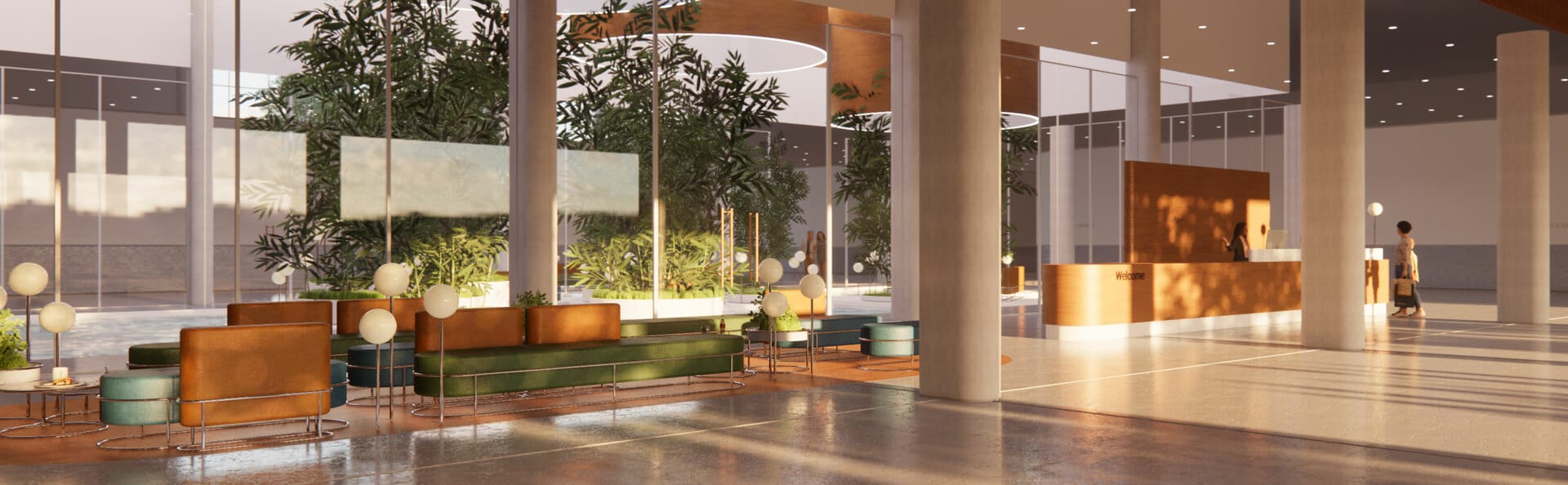
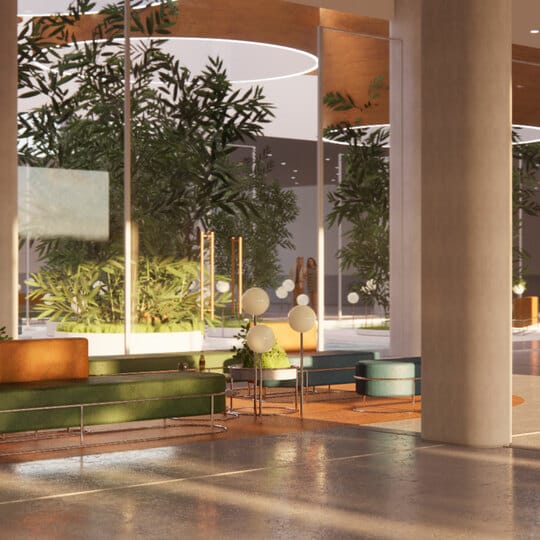
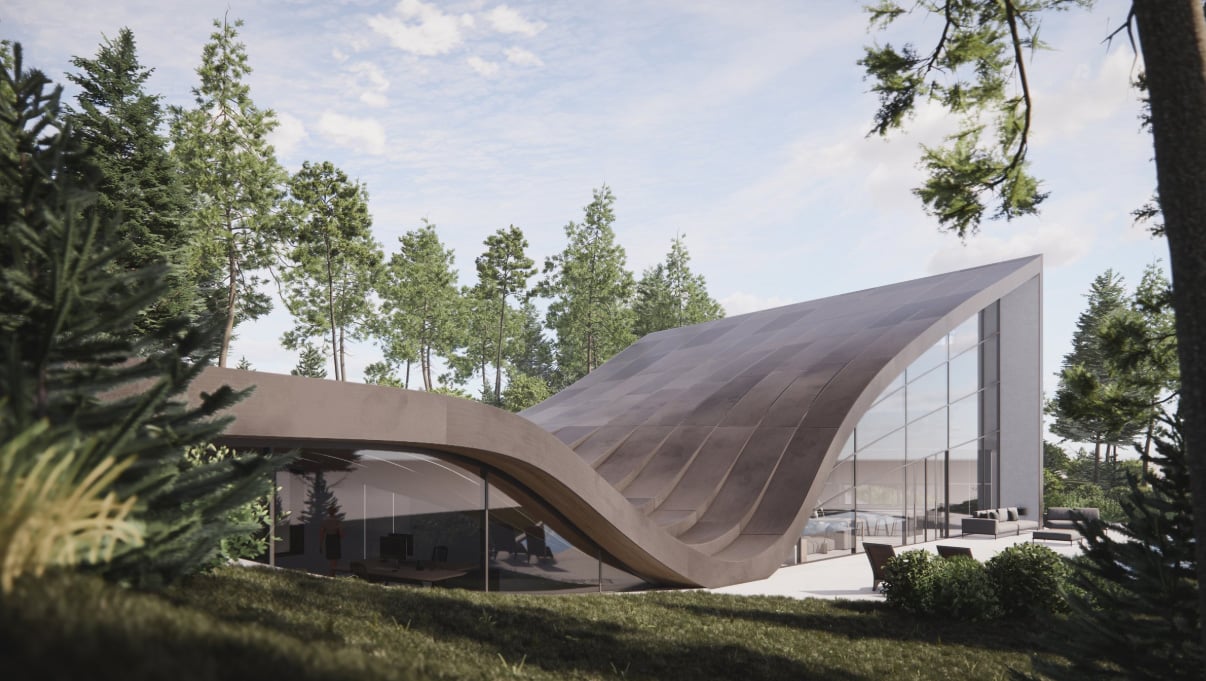
Using Enscape as a Rhino render plugin is a great option for users who want to enhance their designs without disrupting their daily workflows.

It is an ideal tool to use to communicate ideas and concepts to clients, customers, and colleagues with the most instant rendering results and immersive experiences.
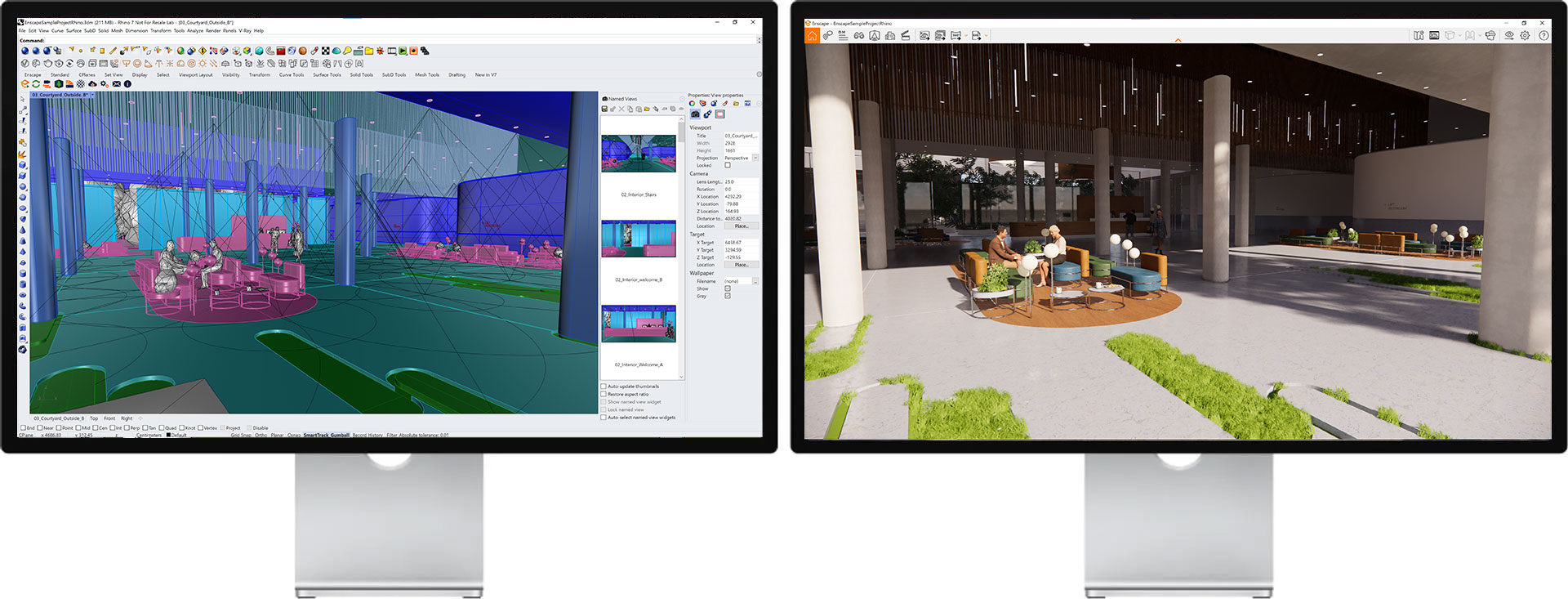
INTEGRATED WORKFLOW

Integrate visualization into your design workflow

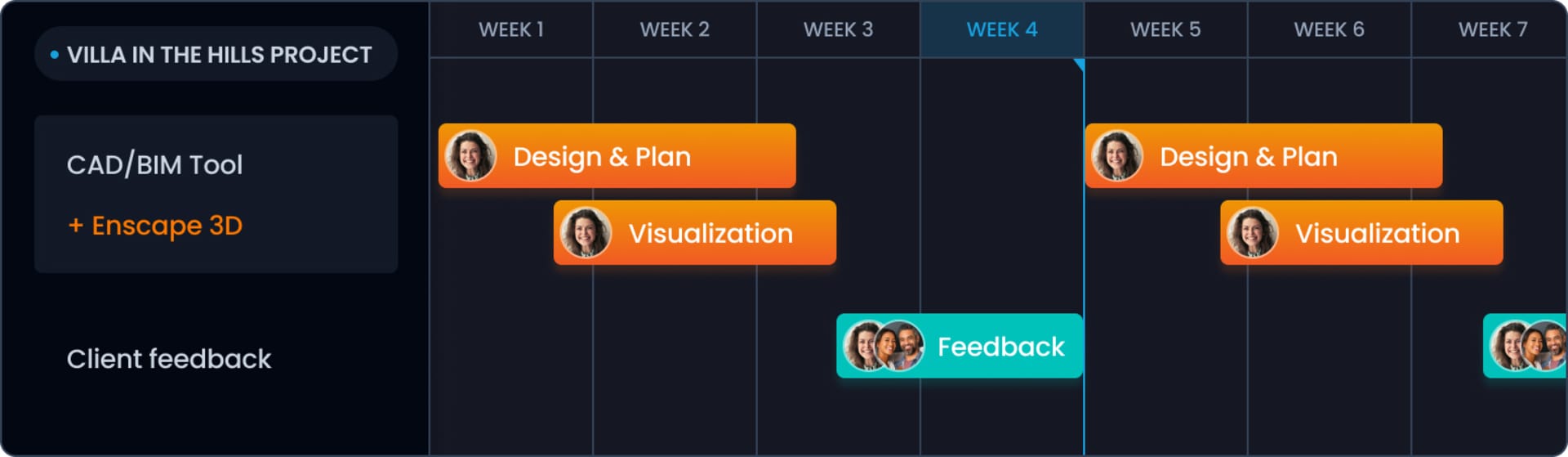
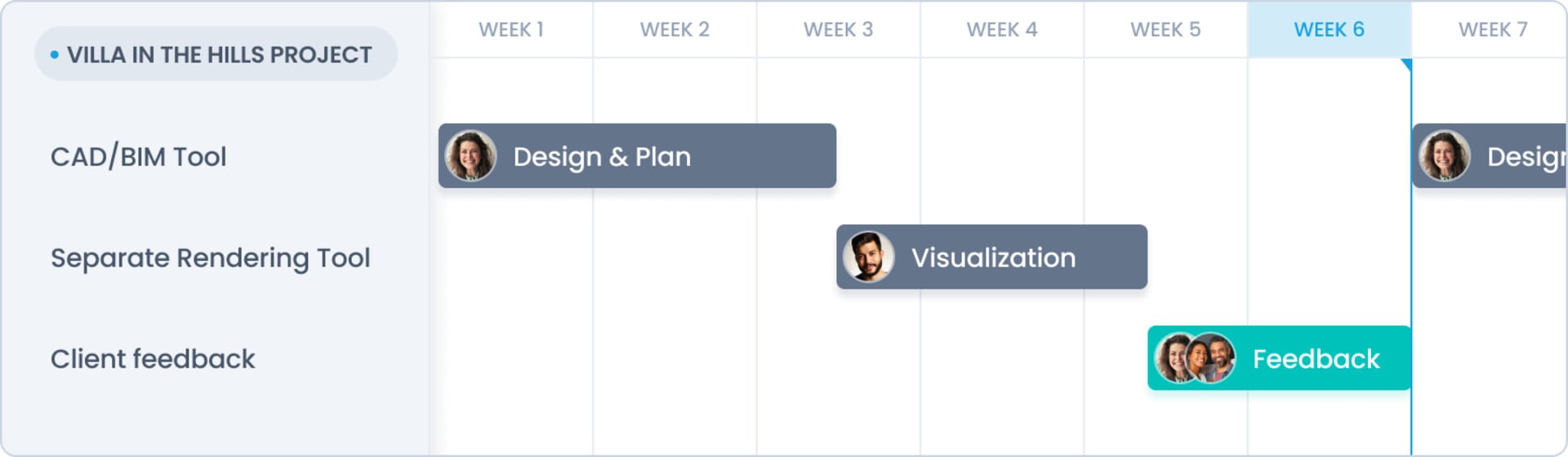
WITH ENSCAPE VS. WITHOUT ENSCAPE

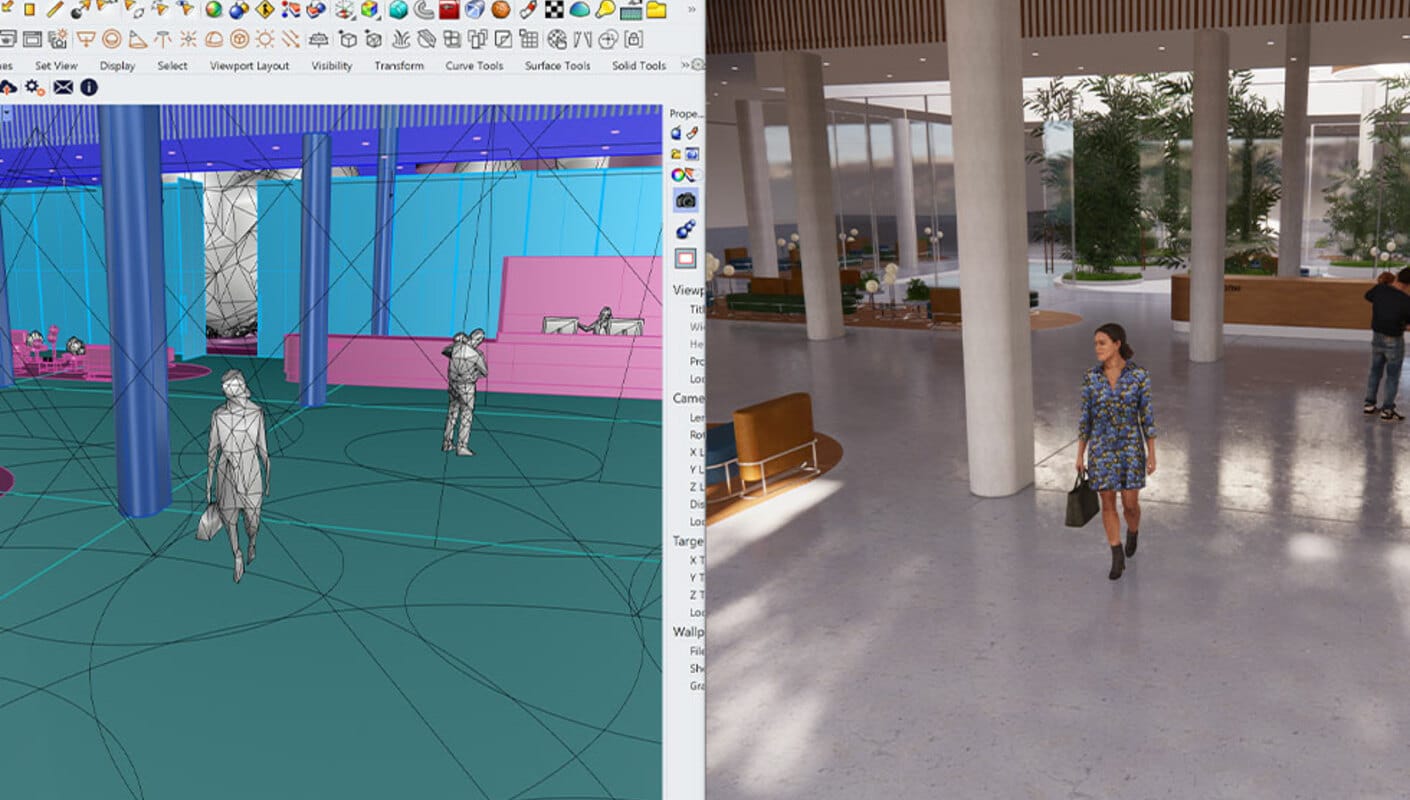
Design and visualize in one model

No more side tracks. No more double work. One single source of truth.

Without Enscape

With Enscape

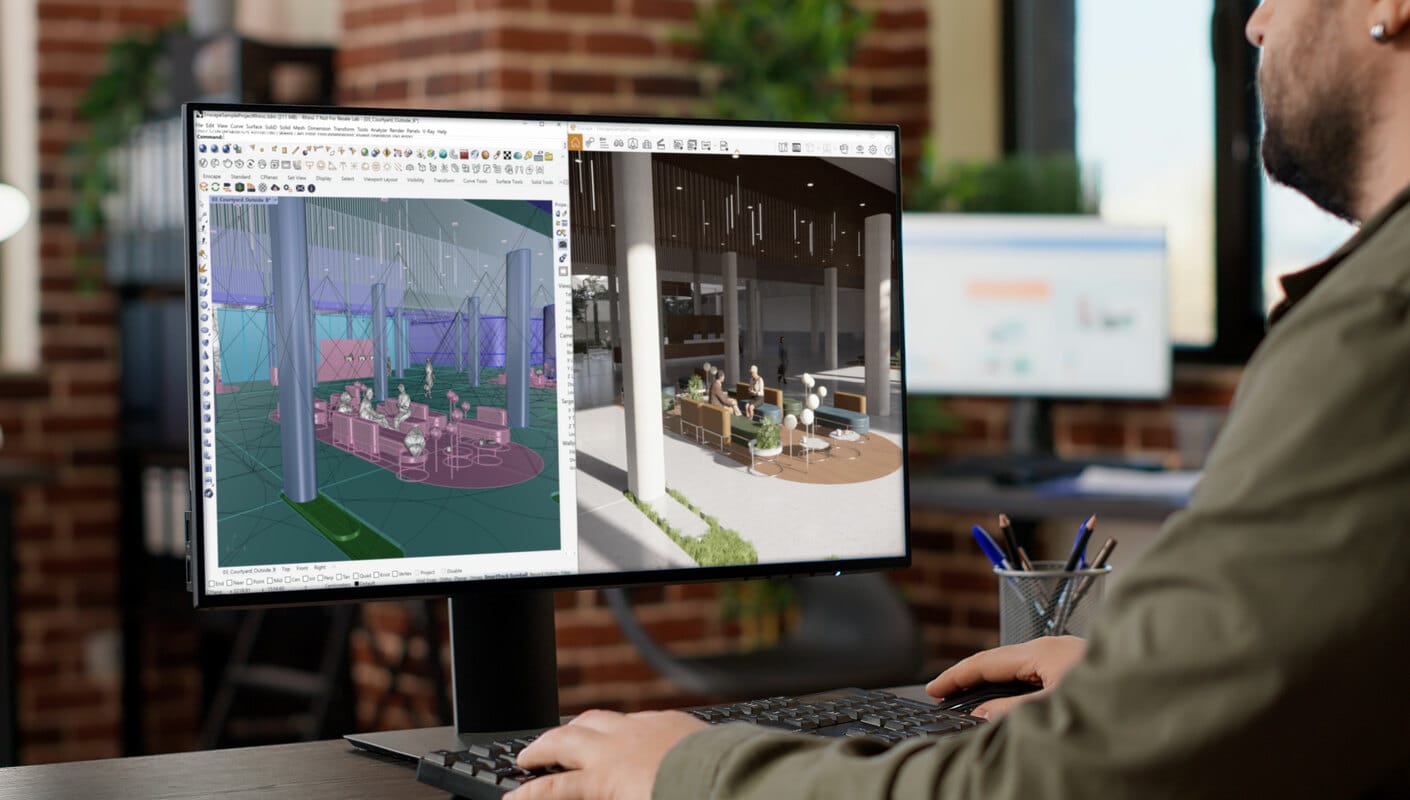
Streamline your design workflow

Using Enscape to render in Revit allows you to design and visualize in one tool. Easily create 3D renders, video walkthroughs, and test ideas within Revit itself. The real-time sync means there’s no need to import or export files.

Communicate ideas with ease

You can share your ideas with people via a still image, panorama, video walkthrough, or a standalone file. These options can help others understand your design intent and vision for the project.

Identify issues easily

The ability to walk through your rendered model gives you a better overview of any clashes that would otherwise have been overlooked. Detecting issues early in the process can save time and construction costs.
LEARN MORE

Using Rhino with Enscape

Spotlight Why use Enscape for Rhino rendering?

Enscape uses real-time ray tracing rendering technology where all the calculations are done on the GPU. This makes it faster at rendering than any of the offline or hybrid solutions. Fast rendering times mean more time for designing, modeling, and texturing projects and less time adjusting the rendering engine settings. Enscape offers ease of use when creating Rhino renders. No special training is required, and information on how to use it to its full potential is available via video tutorials and the Knowledge Base.

YOU’LL BE IN GOOD COMPANY

Trusted by architects and designers around the world

Bob Shemwell
Senior Principal
Overland Partners

It evolutionized our process. We find that we can get to decision points earlier. We find that we can extend the length of time that we’re spending on design.

Brian Comeaux
Project Architect
Lake|Flato

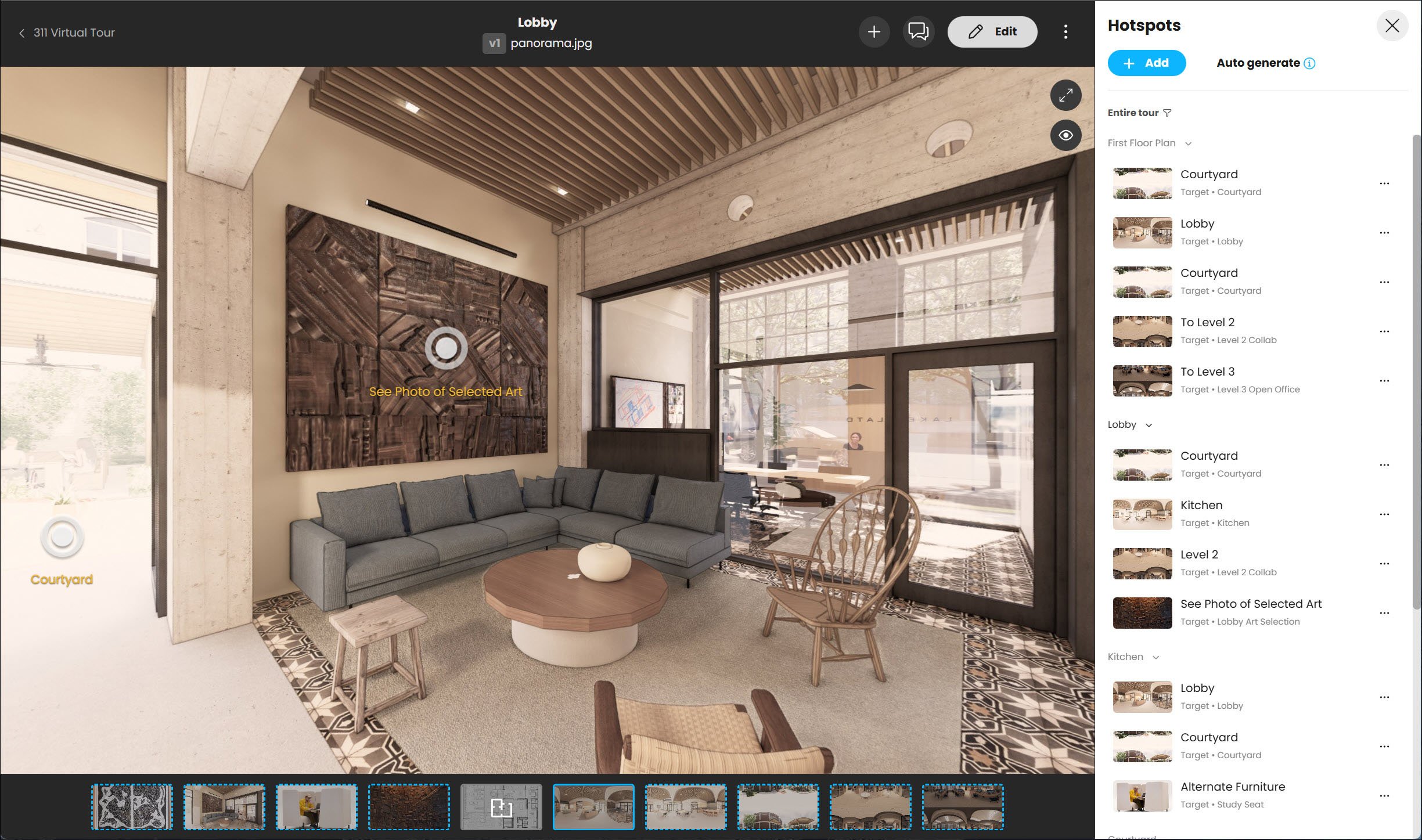
Enscape is a game changer as clients are immediately able to understand and experience our vision, eliminating the subjective interpretation of sketches and the resulting misunderstandings and redesign.

Paul McCreanor
Director
McCreanor and Co. Architects

Letting the clients walk around the building has the potential to save them a lot of money further down the line as they know what they are getting beforehand.
How to create a Rhino render in Enscape

There is a direct integration between Rhino and Enscape which means you can keep your tools and use Enscape through the Rhino toolbar. To create a Rhino render, there are two Enscape tabs, Take Screenshot and Batch Rendering. Using the former tab will render out the current Enscape Viewport, while the latter will allow you to Batch Render a set of images. Changes made in Rhino will immediately appear in Enscape. Thanks to simultaneous editing and visualization, project changes are available to evaluate in real time. The Enscape Asset Library can be used to enhance Rhino renders. With over 1,900 assets to choose from, projects can be brought to life. As well as using the native Rhino Material Editor, users can also take advantage of the Enscape Material Editor to add new dimensions to textures and materials.
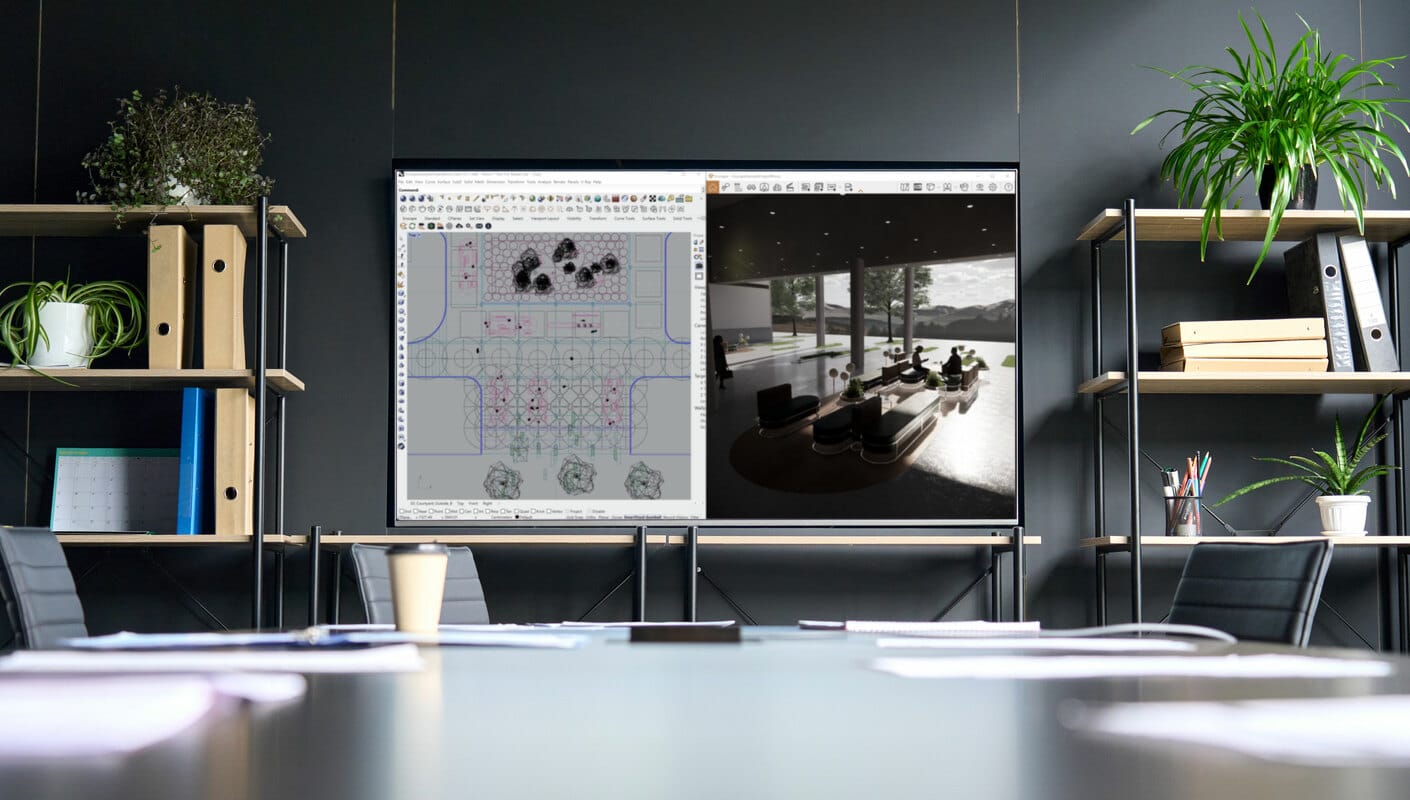
Tips for How to Render in Rhino

For the best quality Rhino rendering results, here are some best practices to follow: 

  • To ensure changes made in your project can be instantly seen in Enscape, make sure the Enscape’s Live Update option is enabled. 
  • Add lighting sources to your model to brighten it up. There are several options to choose from such as Point Light, to Rectangular Light, to Emissive Lights. 
  • Enscape’s roughness map settings can be used to adjust the roughness of your materials to create realistic-looking surfaces. 

For more tips to boost presentation, check out expert tips and tricks on the Knowledge Base

Get started for free.

Get a 14-day free trial and dive into the full range of features we offer. You will also get access to comprehensive training resources and dedicated customer support.

Start rendering for free in seconds.

Badge

4.6

★★★★★
★★★★★

Avg. rating on G2.com

500k+

Monthly active users

150+

Countries used in

Plans & pricing

From individual creators to the biggest enterprises, we have a plan for you.
Plans
Commercial
Educational
Monthly
Annual
Save 45% yearly
3 уears
Number of licenses
Enscape SoloYour real-time design
companion.
+1
$4790/month

1 license – billed annually $574.80

Named license
Info Icon
Add to cart
Includes
  • Enscape real-time rendering engine
Compare all features >
Preferred choice
Enscape PremiumSupercharge your workflow
with AI.
+1
$5290/month

1 license – billed annually $634.80

Named license
Info Icon
Add to cart
Additionally includes
  • AI-enhanced ideation and image creation
    Info Icon
  • AI-enhanced scene enrichment
    Info Icon
Compare all features >
Best value
ArchDesign CollectionEnhance and animate

your scenes.
+2
$9490/month

1 license – billed annually $1,138.80

Floating license
Info Icon
Add to cart
Additionally includes
  • 100% ray traced real-time with Envision
    Info Icon
  • Animated storytelling & large scene assembly
    Info Icon
  • Design insights supporting sustainability
    Info Icon
Compare all features >
Prices do not include taxes.
Subscription term will automatically renew until you cancel it. All Chaos products are intended for professional use only and not for consumer use.
Always included

with the purchase of any Chaos license.

  • Free learning resources, support & community access
  • 14-day money back guarantee
  • Continuous updates
Collapse
Compare all features

Find the plan that's right for you.

Plans
Commercial
Educational
Number of licenses
Enscape Solo
Named license
Info Icon
$4790/month
What's included

See the available products in each plan

Enscape, Cosmos
Available integrations

Enscape is available for all your favourite CAD platforms

Support & licensing
Info Icon
Support
Info Icon
Continuous updates
Info Icon
Learning resources
Info Icon
Floating license options available
Core features
Info Icon
Real-time speed
Info Icon
CAD/BIM integration
Info Icon
Ease of use
Info Icon
Mac compatibility
Info Icon
Bi-directional data flow
Info Icon
Virtual reality
Info Icon
Revit graphics override
Info Icon
BIM info
Info Icon
Artistic visual modes
Info Icon
.vrscene support
Info Icon
Expanded CAD file format support
Info Icon
Energy dials panel
Info Icon
Energy modelling simulation
Info Icon
3D scene assembly
Rendering performance
Info Icon
Low hardware requirements
Info Icon
Visual presets & rendering styles
Info Icon
Realistic lighting (GI)
Info Icon
HQ images & panoramas
Info Icon
Site context
Info Icon
Advanced denoising solution
Info Icon
100% real-time ray tracing
AI Tools
Info Icon
AI-enhanced vegetation and people
Info Icon
Veras Basic
Info Icon
Veras Pro
Info Icon
AI-powered ideation
Info Icon
AI-scene enrichment
Info Icon
AI-geometry override
Assets & materials
Info Icon
Custom asset library
Info Icon
Enscape material editor
Info Icon
Realistic 3D/4D people collection
Info Icon
Cosmos Solo Library
Info Icon
Cosmos Premium Library
Info Icon
Cosmos Collection Library
Video & animation
Info Icon
Video editor and camera animation
Info Icon
Advanced cinematic effects
Info Icon
Advanced environmental animations
Info Icon
Large scene support
Info Icon
Crowd simulations
Collaboration & interactivity
Info Icon
Project sharing, markup & review
Info Icon
Interactive virtual tour
Info Icon
QR code based project previews
Enscape Premium
Named license
Info Icon
$5290/month
What's included

See the available products in each plan

Enscape, Veras, Cosmos
Available integrations

Enscape is available for all your favourite CAD platforms

Support & licensing
Info Icon
Support
Info Icon
Continuous updates
Info Icon
Learning resources
Info Icon
Floating license options available
Core features
Info Icon
Real-time speed
Info Icon
CAD/BIM integration
Info Icon
Ease of use
Info Icon
Mac compatibility
Info Icon
Bi-directional data flow
Info Icon
Virtual reality
Info Icon
Revit graphics override
Info Icon
BIM info
Info Icon
Artistic visual modes
Info Icon
.vrscene support
Info Icon
Expanded CAD file format support
Info Icon
Energy dials panel
Info Icon
Energy modelling simulation
Info Icon
3D scene assembly
Rendering performance
Info Icon
Low hardware requirements
Info Icon
Visual presets & rendering styles
Info Icon
Realistic lighting (GI)
Info Icon
HQ images & panoramas
Info Icon
Site context
Info Icon
Advanced denoising solution
Info Icon
100% real-time ray tracing
AI Tools
Info Icon
AI-enhanced vegetation and people
Info Icon
Veras Basic
Info Icon
Veras Pro
Info Icon
AI-powered ideation
Info Icon
AI-scene enrichment
Info Icon
AI-geometry override
Assets & materials
Info Icon
Custom asset library
Info Icon
Enscape material editor
Info Icon
Realistic 3D/4D people collection
Info Icon
Cosmos Solo Library
Info Icon
Cosmos Premium Library
Info Icon
Cosmos Collection Library
Video & animation
Info Icon
Video editor and camera animation
Info Icon
Advanced cinematic effects
Info Icon
Advanced environmental animations
Info Icon
Large scene support
Info Icon
Crowd simulations
Collaboration & interactivity
Info Icon
Project sharing, markup & review
Info Icon
Interactive virtual tour
Info Icon
QR code based project previews
ArchDesign Collection
Floating license
Info Icon
$9490/month
What's included

See the available products in each plan

Enscape, Veras, Envision, Enscape Impact, Cosmos
Available integrations

Enscape is available for all your favourite CAD platforms

Support & licensing
Info Icon
Support
Info Icon
Continuous updates
Info Icon
Learning resources
Info Icon
Floating license options available
Core features
Info Icon
Real-time speed
Info Icon
CAD/BIM integration
Info Icon
Ease of use
Info Icon
Mac compatibility
Info Icon
Bi-directional data flow
Info Icon
Virtual reality
Info Icon
Revit graphics override
Info Icon
BIM info
Info Icon
Artistic visual modes
Info Icon
.vrscene support
Info Icon
Expanded CAD file format support
Info Icon
Energy dials panel
Info Icon
Energy modelling simulation
Info Icon
3D scene assembly
Rendering performance
Info Icon
Low hardware requirements
Info Icon
Visual presets & rendering styles
Info Icon
Realistic lighting (GI)
Info Icon
HQ images & panoramas
Info Icon
Site context
Info Icon
Advanced denoising solution
Info Icon
100% real-time ray tracing
AI Tools
Info Icon
AI-enhanced vegetation and people
Info Icon
Veras Basic
Info Icon
Veras Pro
Info Icon
AI-powered ideation
Info Icon
AI-scene enrichment
Info Icon
AI-geometry override
Assets & materials
Info Icon
Custom asset library
Info Icon
Enscape material editor
Info Icon
Realistic 3D/4D people collection
Info Icon
Cosmos Solo Library
Info Icon
Cosmos Premium Library
Info Icon
Cosmos Collection Library
Video & animation
Info Icon
Video editor and camera animation
Info Icon
Advanced cinematic effects
Info Icon
Advanced environmental animations
Info Icon
Large scene support
Info Icon
Crowd simulations
Collaboration & interactivity
Info Icon
Project sharing, markup & review
Info Icon
Interactive virtual tour
Info Icon
QR code based project previews
Explore Enscape

Latest from the Enscape blog

FAQ

Frequently asked questions

How do you create realistic Rhino renderings?
Plus icon
How do you get the Enscape toolbar in Rhino?
Plus icon
Do you have Enscape for Rhino tutorials?
Plus icon

14-day free trial

Sign up for a free 14-day trial and discover how fast and easy real-time design can be:

  • Full version license
  • Customer support
  • Training resources
  • Community access

Subscribe to our newsletter.

Learn all about the latest news, company updates and recommended content, cherry-picked for you.
© 2026 Chaos Software EOOD. All Rights reserved. Chaos®, V-Ray® and Phoenix FD® are registered trademarks of Chaos Software EOOD in Bulgaria and/or other countries.