What's new in Corona Collection

Explore the latest version.

Corona 15: More power for artists. Same simplicity.

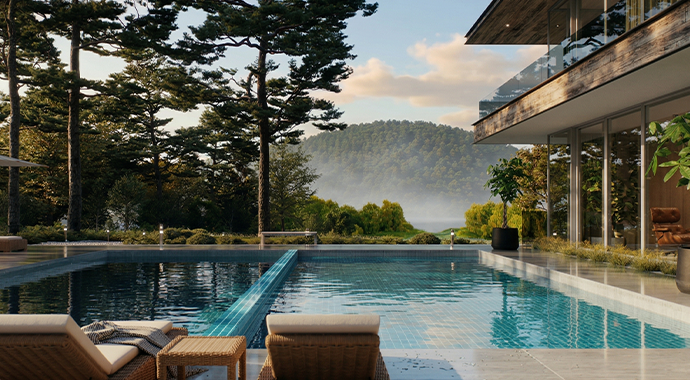
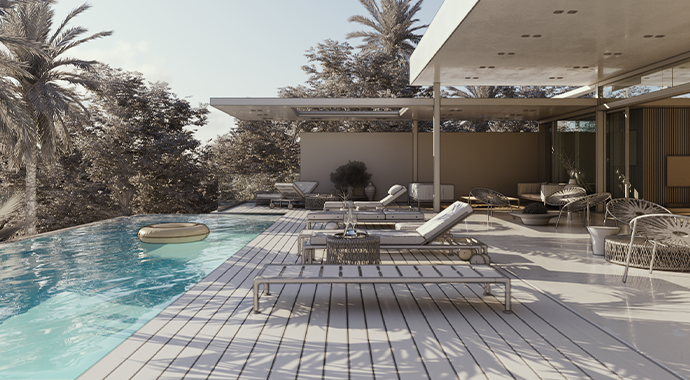
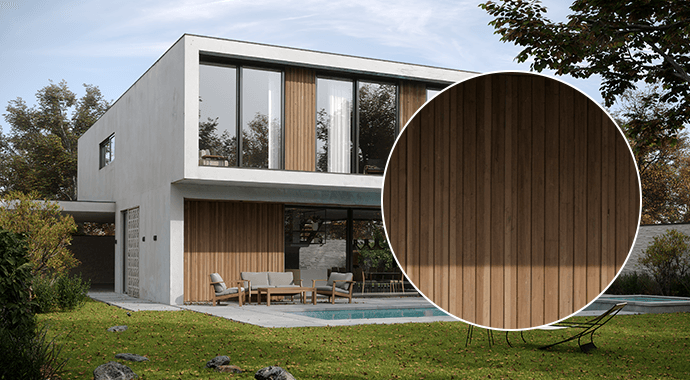
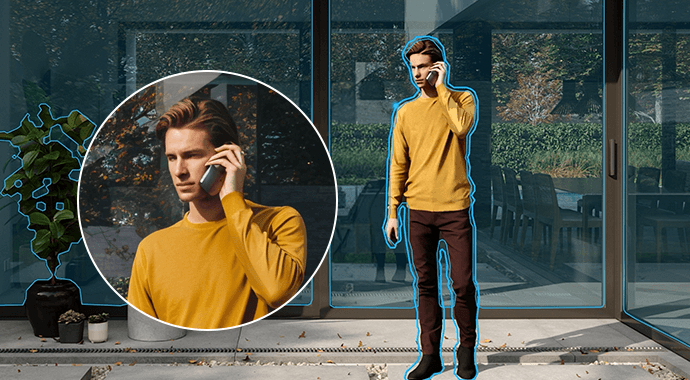
Corona has always made stunning photoreal rendering feel simple. With Corona 15, that experience gets even better, bringing more of what you need directly into your workflow. AI-powered ideation with Veras is now built in, giving you the freedom to explore ideas and go from still to animation instantly. Everything in your connected ecosystem works together more smoothly - so you can focus on creating, collaborate easily, and deliver incredible results faster, all with full artistic control.

AI, where you create. Your way.

Thoughtfully integrated AI to accelerate, not replace, your creativity.


AI ideation with Veras now built into your workflow

Available for all Corona plans.

Veras is now included in Corona, bringing AI-powered creative ideation directly into your viz workflow. No need to juggle multiple third-party AI tools. Send a screenshot from the Corona VFB to Veras at any stage and generate dozens of concepts instantly. Ideate, iterate, and share ideas with clients before committing to a full scene build. Swap materials, change seasons, add people, adjust lighting - over in Veras handle last-minute changes directly in the image. Turn static renders into short animations with Veras - no complex animation setup required, and more!

More detail. More depth.

Achieve even richer, more detailed photoreal results with less effort.
Glints layer in Physical Material

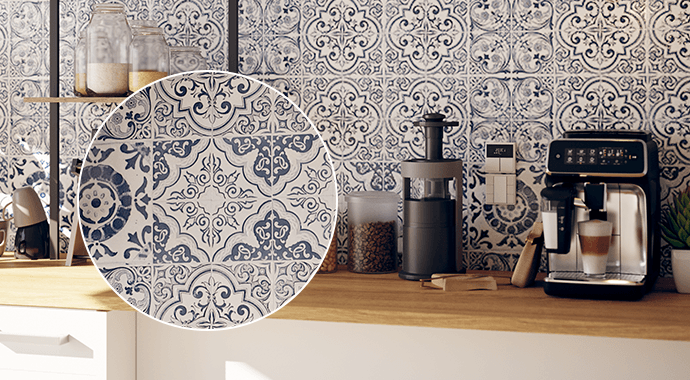
Add a brilliant sparkle to your renders. Effortlessly simulate the effect of small, angled surfaces reflecting light, making your materials more realistic and visually striking. Whether you're creating stunning automotive paint with metallic flakes, or aiming for the delicate shimmer of sand, snow, or frost, the Glints layer delivers that finishing touch of photorealism, especially in animations.

Available in: Corona for 3ds Max, Cinema 4D

Gaussian Splats interact with GI bounces

Corona 15 sets a new standard for Gaussian splat realism by allowing splats to accurately bounce Global Illumination light onto 3D models. With this powerful and unique capability, your captured environments - like high-resolution drone footage - don't just sit in the background, they subtly yet powerfully blend much more naturally into your scene, without any effort.

Available in: Corona for 3ds Max, Cinema 4D

Unique light override material

Create special effects by controlling how materials appear under different light sources. With light-based overrides, a material can look one way in standard lighting and change under specific lights - unlocking creative possibilities that go beyond traditional shading. Think paint, chalk or fingerprint glow under UV light. Quickly add subtle details or bold visual effects that would otherwise require complex setups.

Available in: Corona for 3ds Max, Cinema 4D

Cinema 4D particles

Corona 15 introduces initial support for rendering native Cinema 4D particles. This is an early foundation because we want you to tell us what features you most want to see and have you define how the functionality develops!

Available in: Corona for Cinema 4D

An easier workflow, every day.

From faster animation to easier lighting and composition, everything is designed to keep you moving.
Faster animation parsing

Render animations faster with a smarter way of processing scenes in 3ds Max. Corona now updates only what changes between frames, instead of re-parsing the entire scene each time. This reduces rendering time - so you can iterate faster, refine more easily, and speed up final delivery.

Available in: Corona for 3ds Max

Cosmos Sets, 6700+ new assets & smarter search

Cosmos Sets group compatible assets into ready-made arrangements that can be placed as a single unit. From furniture layouts to decorative details, Sets help you build realistic, well-composed scenes faster, while still allowing easy rearrangement after placement. Plus, the new AI-powered semantic search helps you find the right Cosmos asset instantly using natural language.

Available in: Corona for 3ds Max, Cinema 4D

Place sun or moon via click in the VFB

Set up your scene faster and with more precision. Simply click in the VFB to position the sun or moon exactly where you want it to appear - no guesswork, no adjustments. Get to the right look instantly, fine-tune your scene with ease, and spend less time setting up and more time creating. A simple, visual way to control the final look that makes Corona even easier to use.

Available in: Corona for 3ds Max, Cinema 4D
Per-camera resolution & aspect ratio

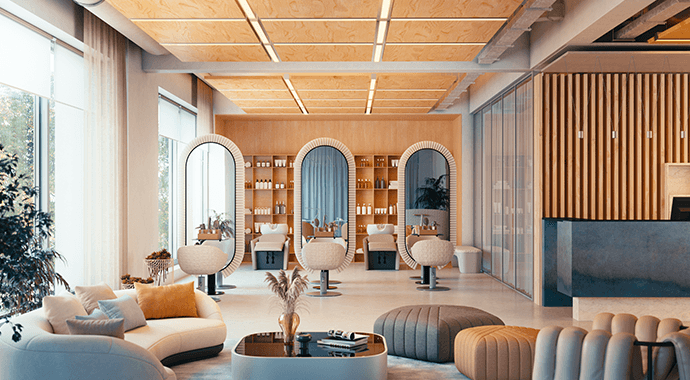
Now, every camera in your scene can store its own render resolution and aspect ratio. Set up a portrait view for one, a landscape for another, and Corona remembers them all - perfect for seamless batch rendering or returning to projects months later. Spend less time adjusting, and more time creating.

Available in: Corona for 3ds Max, Cinema 4D

Composition guides in VFB

Use the new composition guides, like the rule of thirds, directly in the VFB to build stronger compositions. Refine your framing, guide the viewer’s eye, and create more impactful visuals that tell a story.

Available in: Corona for 3ds Max, Cinema 4D

Improved viewport performance in Cinema 4D

Gaussian splats and Corona proxies now display much faster in the Cinema 4D viewport, making it easier to work with scenes containing millions of points*. We’ve also introduced an experimental option which enables Diffuse, Bump, and Self Illumination from the Corona Physical Material to display in the viewport - and more materials and features planned for future updates.

Available in Cinema 4D S24 or newer, except for 2025.3.3

Work better together. Get approvals faster.

Collaborate seamlessly with your team and clients. No more scattered feedback.
Reviews in Chaos Cloud Collaboration

Bring your team and clients into a clear, structured review process - so you can move from concept to final faster. The Reviews feature provides a structured workflow for design approvals within Chaos Cloud. Files are organized on a visual Kanban board and tracked through stages from draft to review to approval. Teams can submit files for review, receive official approvals, and monitor progress in real time, replacing the fragmented mix of emails and external tools that currently slow down the architectural design sign-off process.

Available in: Corona for 3ds Max, Cinema 4D

Video Collaboration

Chaos Cloud Collaboration now also supports video files, allowing teams to present and review animations, walkthroughs, and camera flythroughs using the platform’s existing review and annotation tools.

Available in: Corona for 3ds Max, Cinema 4D

3D Streaming & 3D walkthroughs

Allow everyone to walk through your vision in real-time. Simply share a 3D streaming link so teams and stakeholders can explore your visualization interactively, at their own pace, on any device, no software needed, and no installation required. Help them understand the scale, lighting, and feel of your project. Use annotation and drawing tools to point out specific areas, and let viewers add comments, attach images and links for context. It’s the most effective way to communicate your design intent, receive structured feedback and get everyone on the same page.

Available in: Corona for 3ds Max, Cinema 4D

Corona AMA

Inside Corona 15: Live Ask Me Anything with Tom Grimes

Next session: Jun 23, 2026, 5:00 pm CEST Corona 15 is almost here, and we want to celebrate this major release with you! You're invited to an open, interactive chat - a live Ask Me Anything (AMA) session - with Corona Product Manager, Tom Grimes, and the team. We'll dive into the ideas that shaped this release, demonstrate how the new features fit into real-world workflows, and answer your questions live.

Register now

Lifelike storytelling

Create rich, believable narratives with instant parking lots, vibrant night lights, and more high-quality 4D assets.
Parking lot generation

Transform empty asphalt into realistic, populated parking lots in just a few clicks in Anima. Effortlessly create perpendicular, oblique, or parallel parking arrangements to accelerate your production and add a layer of essential realism to commercial projects. Anima gives you the fastest way to handle complex traffic layouts - no need to place cars one by one anymore - just hit generate.

Automatic vehicle lightings

Deliver vibrant, nighttime realism instantly with automatic headlights and taillights for every vehicle in your scene. There’s no extra setup required - simply generate your traffic in Anima and watch your cityscapes glow with physically accurate lighting. Enjoy the ultimate shortcut to high-end automotive visuals and atmospheric urban night shots.

Crewed vehicles

Vehicles come with drivers and passengers by default, with easy controls to adjust both the number and variety of the crew. The enhanced vehicle motion creates natural traffic flow, while motion baking ensures your scenes stay consistent as you add new elements.

Available in: Corona for 3ds Max and Cinema 4D with the Corona Collection license or with a standalone Anima license.

Improved real-time realism with Vantage

Make real-time scenes feel alive with dynamic effects and artistic controls.
Real-time animated water

Bring your real-time natural environments to life with photorealistic, ray-traced water in Chaos Vantage that flows the moment you drop it into your scene. Once in Vantage, forget the headache of complex simulation setups - the new real-time animated water delivers procedural, parameter-driven animation with realistic motion for everything from vast oceans to tranquil infinity pools.

Real-time fluid simulator improvements

New controls for real-time smoke and temperature expansion inside Chaos Vantage give you even greater artistic control over fluid motions, making it easier to achieve the desired look. Enhance real-time rendering with chimney smoke, fireplaces, haze, and more. Support for exporting VDB caches now allows the reuse and integration of simulations into production workflows back in 3ds Max or Cinema 4D as needed.

Solar eclipse effect

You can now render the moon in front of the sun disc for the ultimate solar eclipse effect in Vantage.

Capture moments of celestial drama. Create a breathtaking solar eclipse effect directly in Vantage by positioning the moon in front of the sun, adding a unique and powerful mood to your real-time visualizations.

Toon outlines

Easily illustrate early-stage design concepts or guide your client through complex scenes in Vantage with Toon Outlines, while maintaining your photoreal camera setups and lighting. Focus the attention on what matters at the moment with flexible toon outlines that emphasize silhouettes and edges. And the best part - no need to spend any time post-processing - your stylized toon frames and animation sequences are ready to fly into the next mood board, client review, or presentation.

Available in: Corona for 3ds Max, Cinema 4D, with the Corona Collection license

Better precision in AI Enhancer & AI Material Generator

Enhance larger surfaces and individual objects with greater control.
AI Enhancer: Large surfaces enhancement

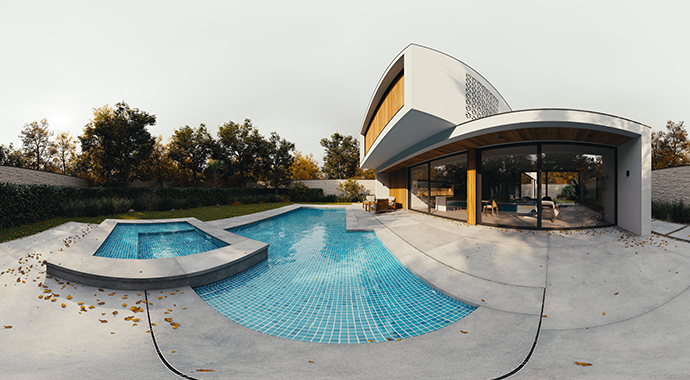
The AI Enhancer in Chaos Cloud now brings realistic detail to large, uniform surfaces such as floors, walls, asphalt, and terrain. By adding natural variation like wear, dirt, and subtle imperfections at the correct scale, expansive areas gain depth and realism without manual re-texturing.

Available in: Corona for 3ds Max, Cinema 4D
AI Enhancer: Improved accuracy

Enjoy more consistent and reliable single-object enhancements. By preserving an asset’s original characteristics, it avoids misinterpretation and unwanted changes, reducing manual fixes and ensuring predictable results across scenes.

Available in: Corona for 3ds Max, Cinema 4D

Cosmos AI Materials with 4K support

Materials, generated by the AI Material Generator, now support high-resolution 4K textures, delivering sharper detail and higher-quality results. An enhanced interactive 3D preview lets users fine-tune normal and roughness settings, adjust tiling, and preview materials on different objects in Cosmos before saving them to the library.

Available in: Corona for 3ds Max, Cinema 4D

Try the new Corona 15


More creative freedom. More connected workflows. More ways to turn ideas into stunning visual stories.
See Collection pricingDownload latest version

Subscribe to our newsletter.

Learn all about the latest news, company updates and recommended content, cherry-picked for you.
© 2026 Chaos Software EOOD. All Rights reserved. Chaos®, V-Ray® and Phoenix FD® are registered trademarks of Chaos Software EOOD in Bulgaria and/or other countries.