Sketch to image
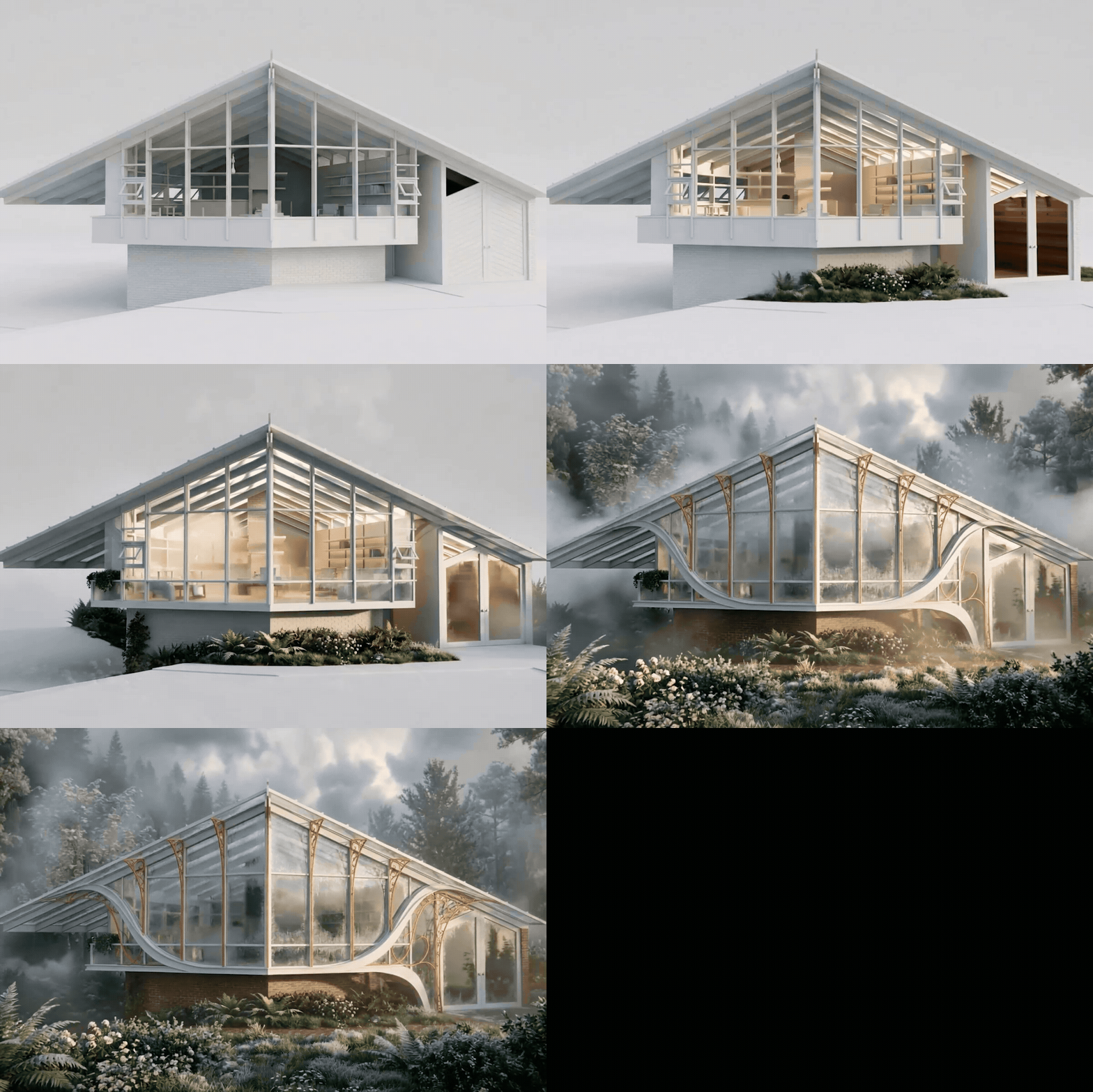
Upload a sketch or image, add a prompt, and Veras turns it into a stunning visualization. Or use presets for instant stylized renders.


NEW GPT-6 Astra is in Veras. Get 4 free scenes in your trial.
From a sketch, image, or prompt to a fully editable 3D scene. From a 3D model to a photoreal image or animation. All natively in your BIM, in minutes.


Upload a sketch or image, add a prompt, and Veras turns it into a stunning visualization. Or use presets for instant stylized renders.

Use Veras to instantly transform your models into stunning visuals with simple text prompts and AI-powered presets.

Turn any image into a dynamic video with Veras using a prompt or preset to instantly bring your visuals to life.

Turn any sketch, floor plan, image to 3D editable scene, ready for Revit, Rhino, or SketchUp.
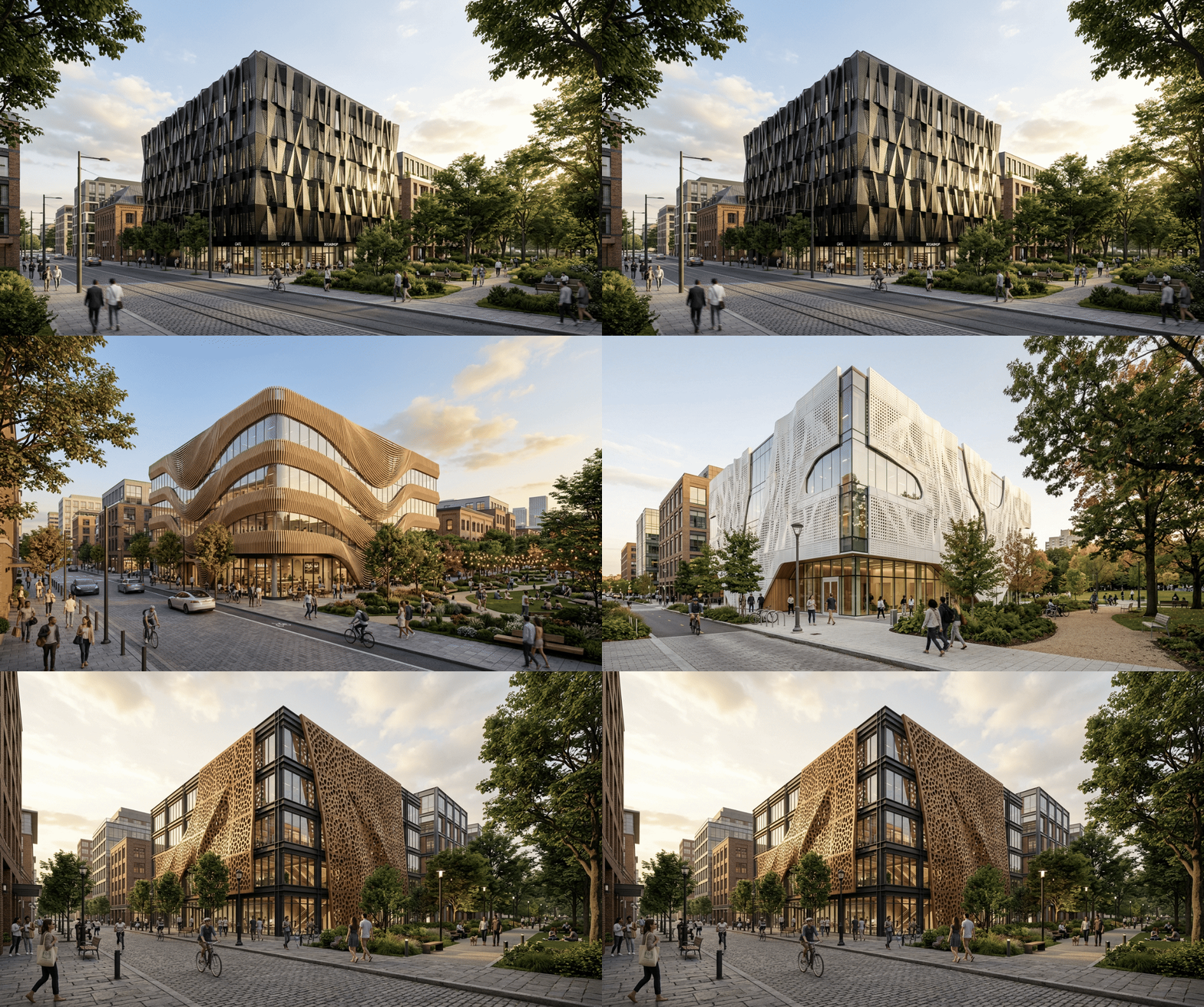

Chaos' Enscape and Veras bring a bit of magic to our work at First Forty Feet. These tools are changing the way we visualize the cities of the future — helping us create vivid, realistic images of revitalized downtowns and neighborhoods.

Enscape and Veras have been essential tools in my workflow, allowing me to quickly translate design ideas into compelling visuals that strengthen client communication and accelerate decision-making. They add value throughout all project phases—from early concept exploration in the design phases to detailed design development and clear visual validation in construction documentation.

Through the targeted use of Veras, we achieve a greater depth of planning in less time, so we can better focus on other aspects of our profession.
.avif)
I was initially skeptical about AI's impact on the design process, but Veras completely changed my perspective. If Midjourney is crawling, Veras is running a marathon. Its intuitive interface, lightning-fast renderings, and customizable prompts allow me to explore multiple design concepts in seconds, significantly boosting my efficiency.

with the purchase of any Chaos license.
Add more credits to unlock extra capacity.
You've sketched the idea, found the reference, pictured the space — but getting from there to something buildable used to mean hours of manual modeling. With GPT-6 Astra and Opus 5.5, now part of Veras, that gap closes. Feed it a sketch, an image, or a prompt, and it builds a complete, editable 3D scene. It lands natively in Revit, Rhino, or SketchUp, ready to build on.
Special offer: Try Astra in Veras — create up to 4 models for free. Offer valid through the end of October, 2026.
Learn moreDesigners first. Chaos is committed to developing AI that empowers creators, enhances workflows, and supports the creative process with trust and transparency at the core.