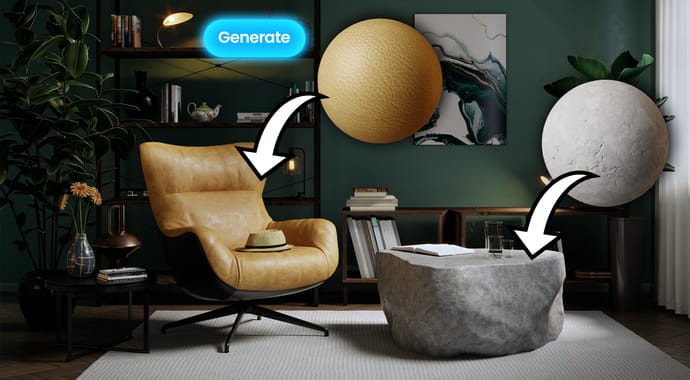
AI Material Generator
Turn photos of real-world surfaces into render-ready PBR materials in just a few clicks!



Discover Corona 13 with more creative control, faster workflows, and your first month free.
Turn photos of real-world surfaces into render-ready PBR materials in just a few clicks!
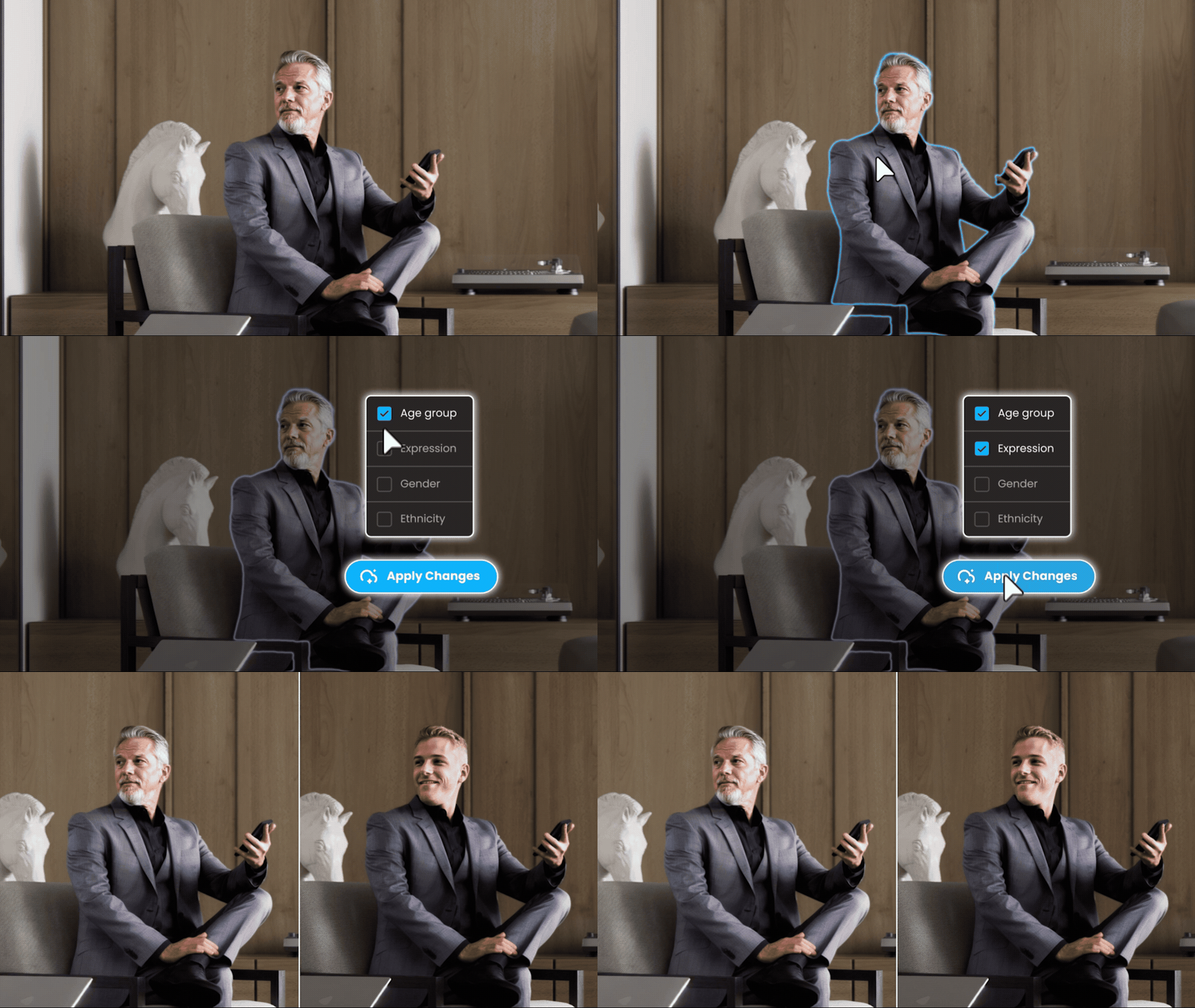
Refine your renderings by modifying characteristics such as age, ethnicity, and clothing style, or enhance vegetation for realistic, lifelike effects.
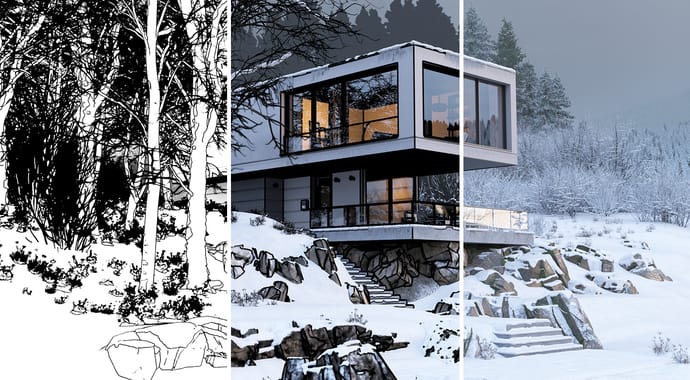
Create stylized, non-photorealistic renders with new Toon and Outline materials.
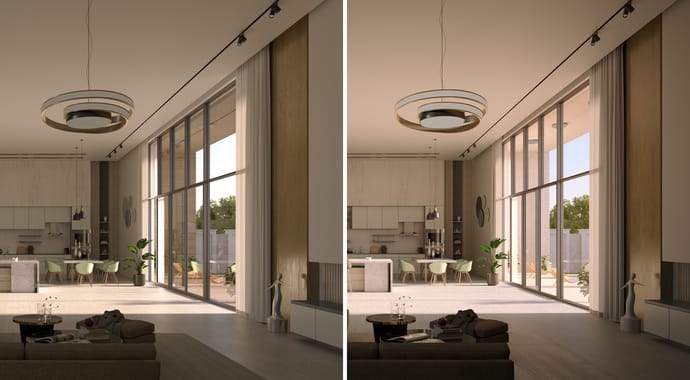
Speed up animation rendering with the Vantage Live Link—perfect for quick drafts and tests, or final versions.
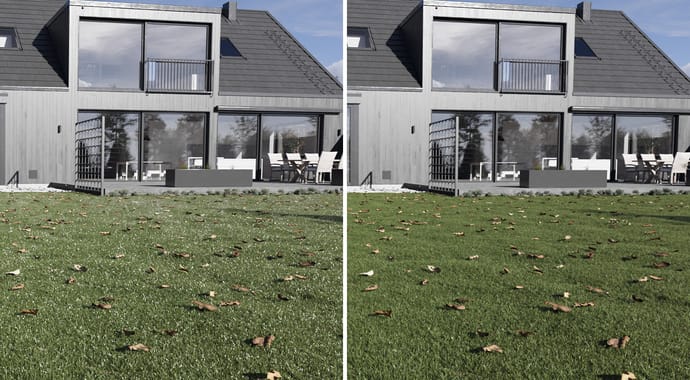
Clean up bright pixels detracting from your scenes, use either Simple or Advanced mode for varying highlight control.

Access the largest and smartest 3D asset library of curated render-ready models, materials, and HDRIs at your fingertips.
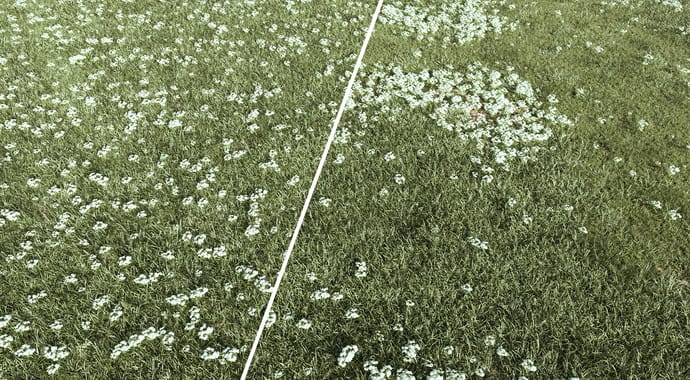
Achieve the desired look of your renders faster than ever, thanks to Scatter’s new Clusters, which allow you to group various scattered objects. Scatter Clusters have 3 modes: use Generate mode if you want to create clusters based on noise calculations. Color map mode allows you to choose which objects should appear within the different colors of your map. With Layer paint mode, you can define which objects belong to a particular layer and paint those layers directly into 3ds Max (coming soon for Corona for Cinema 4D).
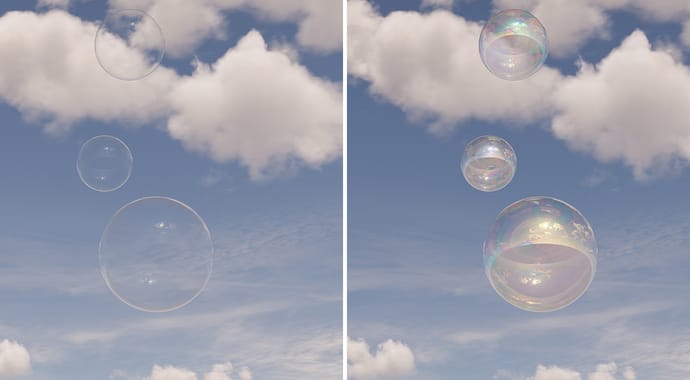
Add a touch of iridescence with ease. The new Thin Film layer makes it simple to create realistic rainbow effects on oily surfaces, soap bubbles, anodized metal, dichroic glass and more. Just tweak the Thin Film parameters in the Corona Physical Material and you’re good to go.
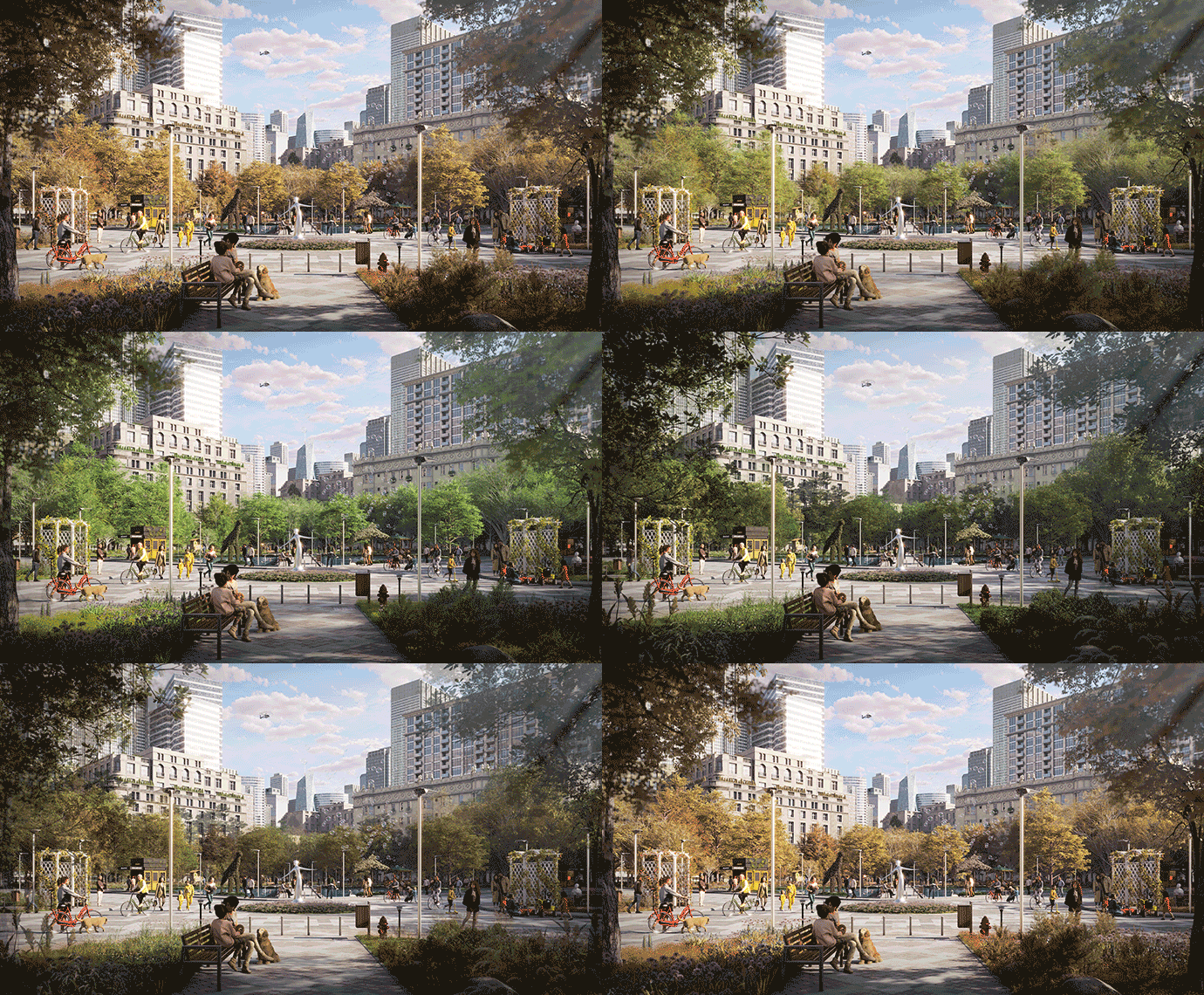
Explore the Chaos Cosmos library and find the perfect asset variation for your scene. Selected 3D vegetation and people assets now include multiple options, such as summer or autumn leaves, and different clothing variations, so you can match your scene’s style or season effortlessly.
Product Manager, Chaos Corona
"Corona 13 is a community-driven release. We've focused on adding some of the most requested features, such as new artistic choices and new rendering options, and we’ve included AI that was created to work alongside traditional rendering, rather than trying to replace it. Corona users are some of the most creative people in all of archviz, and today’s new features will give them new tools that let them work smarter and with more freedom to meet the specific needs of their clients."